Media & Press Assets
Approved brand marks, product imagery, and video for editorial use. Everything on this page is free to use in coverage of visualAI with attribution — no permission request needed.
Contact pressJoe Monastiero · Founder & CEO, visualAI · joe@vairetail.com
Brand & logos
Primary wordmark and full retail lockup, in transparent PNG. Use the white variants on dark backgrounds and the black variants on light backgrounds.

visualAI wordmark — white
Primary wordmark for dark backgrounds. Transparent PNG.

visualAI wordmark — black
Primary wordmark for light backgrounds. Transparent PNG.

visualAI Retail lockup — white, horizontal
Full retail lockup for dark backgrounds. Transparent PNG.

visualAI Retail lockup — black, horizontal
Full retail lockup for light backgrounds. Transparent PNG.

visualAI Retail lockup — white, stacked
Stacked retail lockup for dark backgrounds. Transparent PNG.

visualAI Retail lockup — black, stacked
Stacked retail lockup for light backgrounds. Transparent PNG.

visualAI mark — high resolution
High-resolution stacked mark for print and large-format use.
Onsite AI search
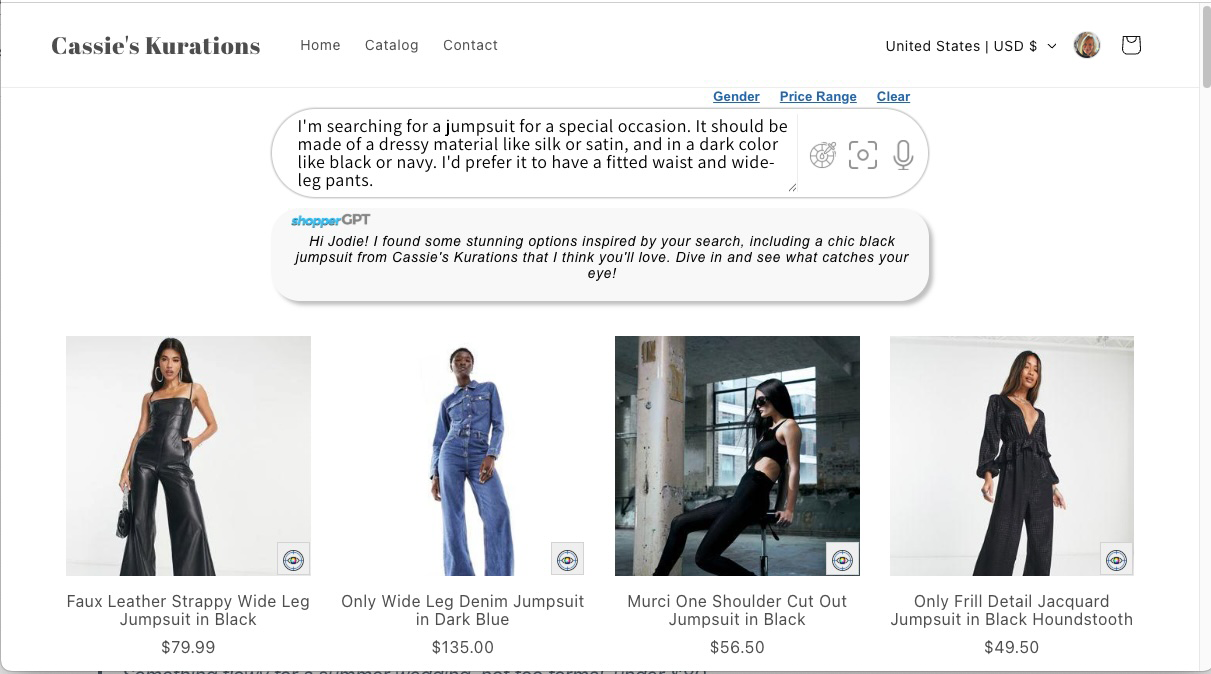
shopperGPT — the storefront search experience. Shoppers find products with natural language, color, and imagery instead of exact-match keywords.
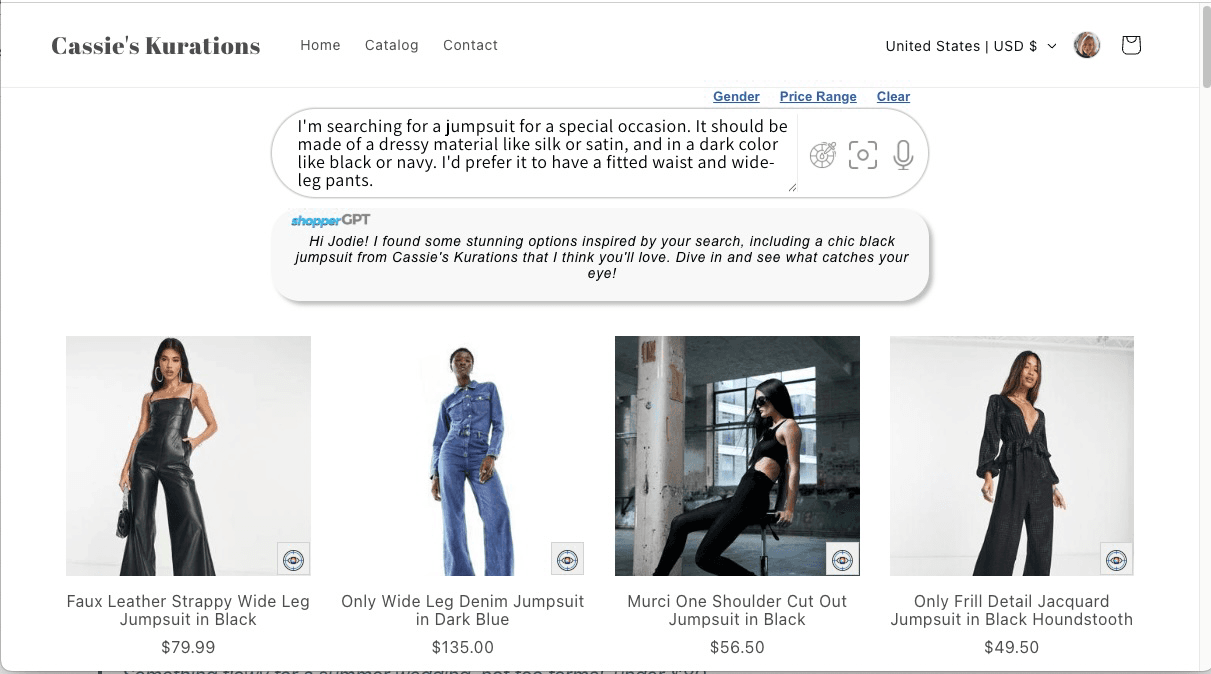
Natural-language search
shopperGPT returning relevant products from a plain-language query on a live storefront.
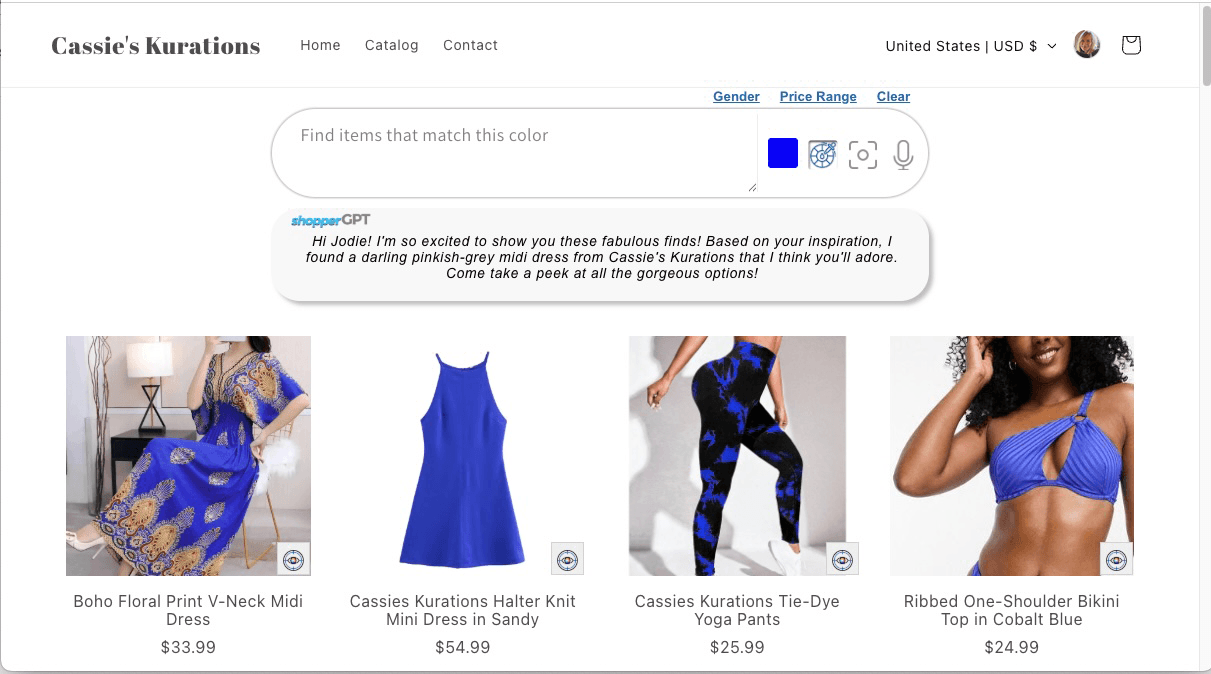
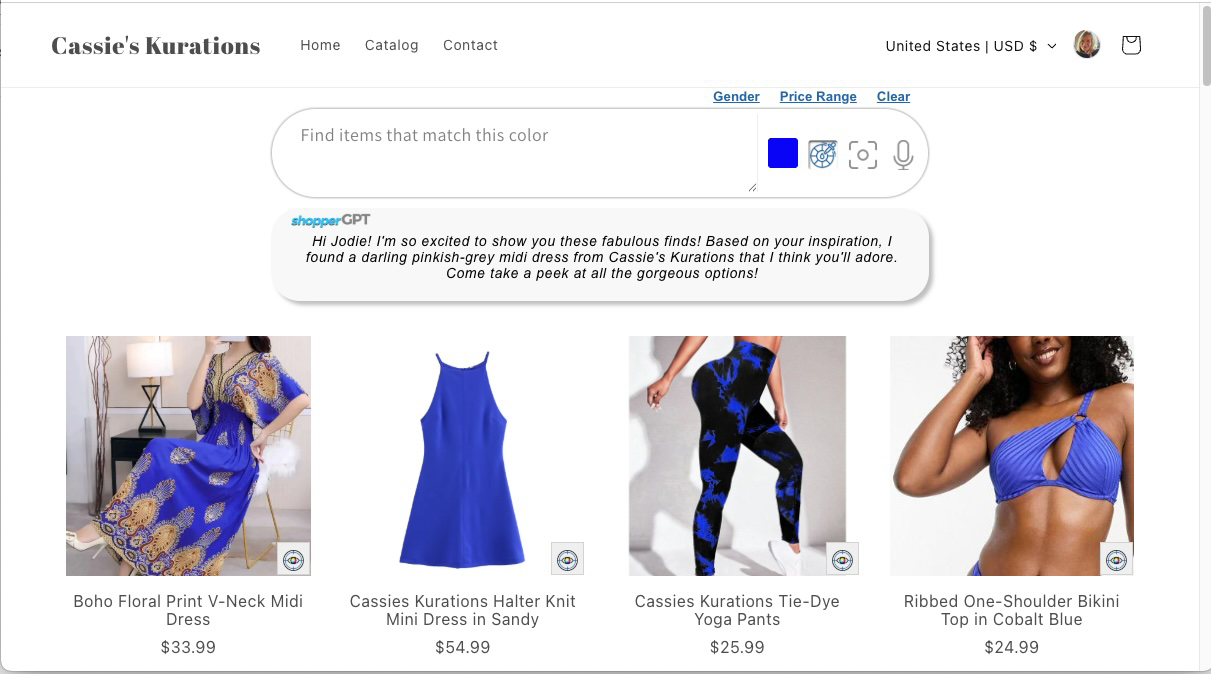
Color search
Shoppers filter by color the way they describe it, not by rigid catalog tags.
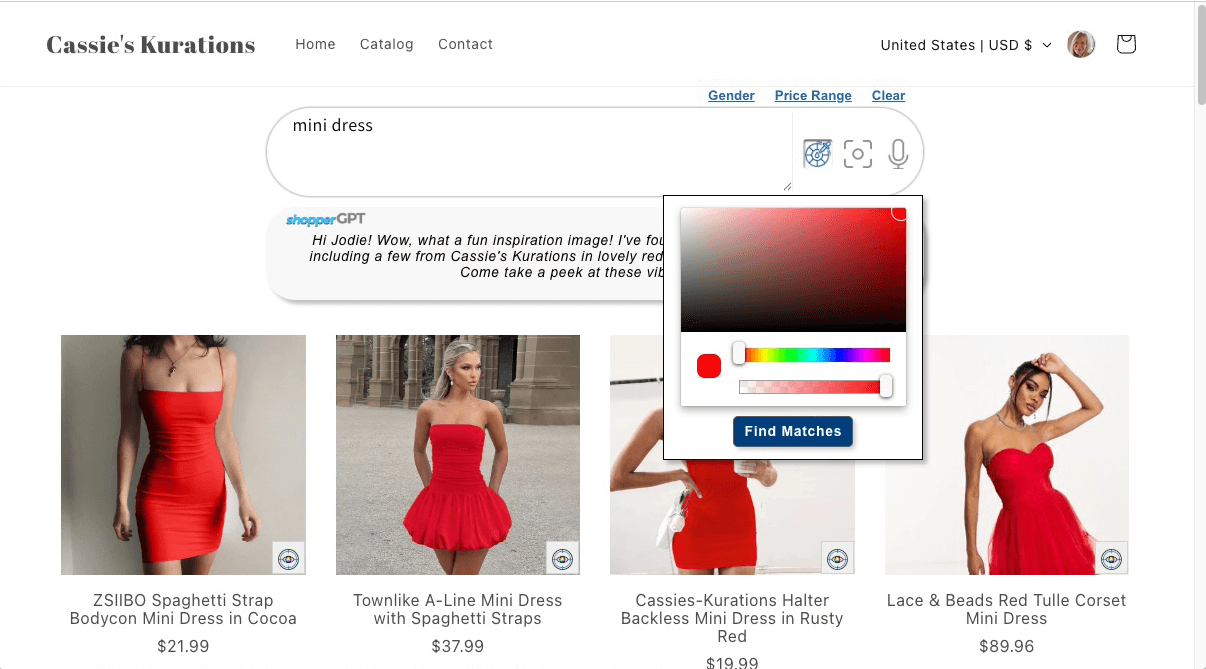
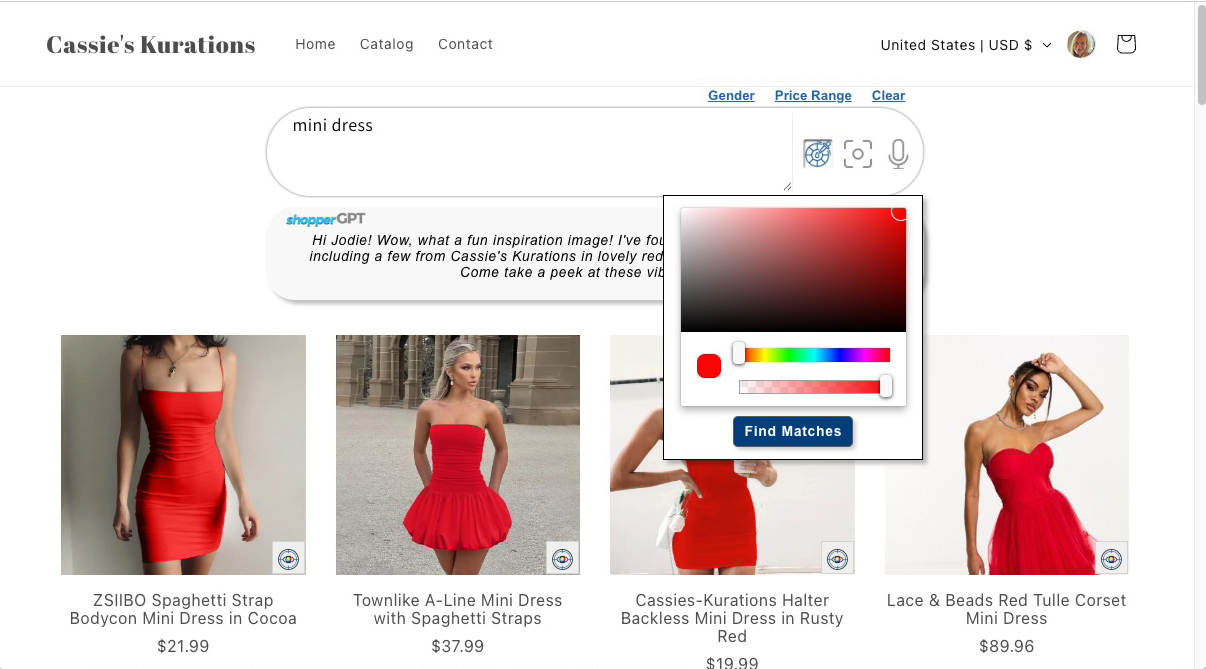
Combined text and color search
A single query blending descriptive language and color, resolved in one search.
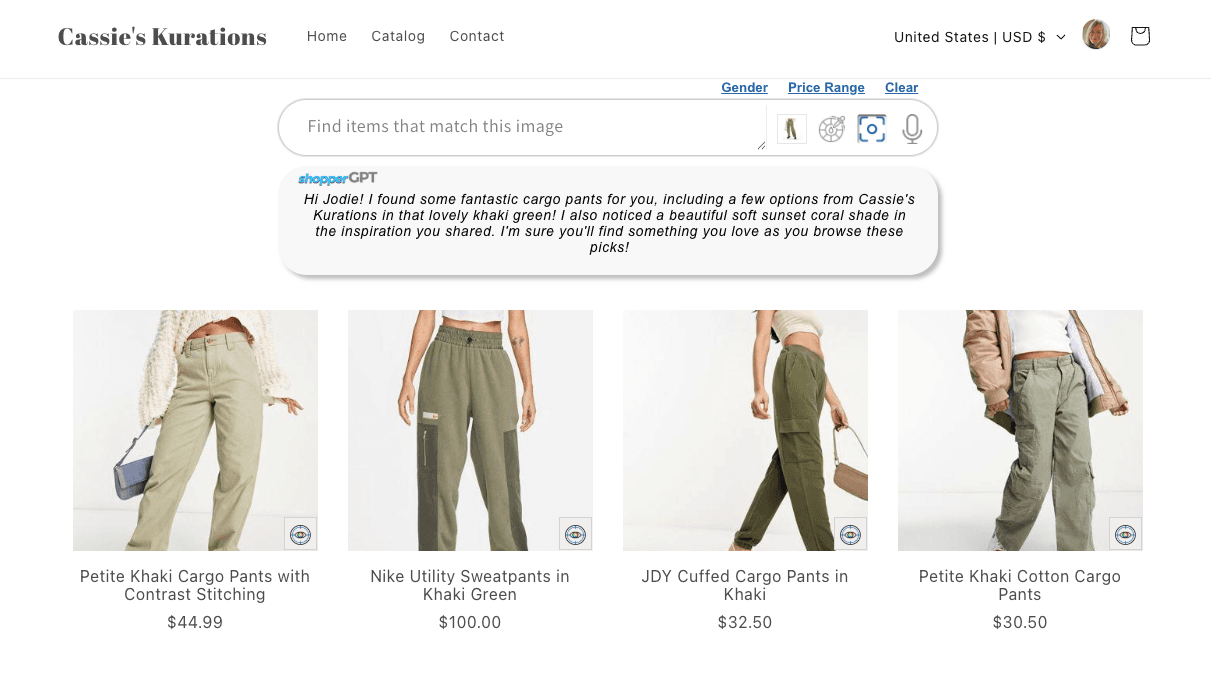
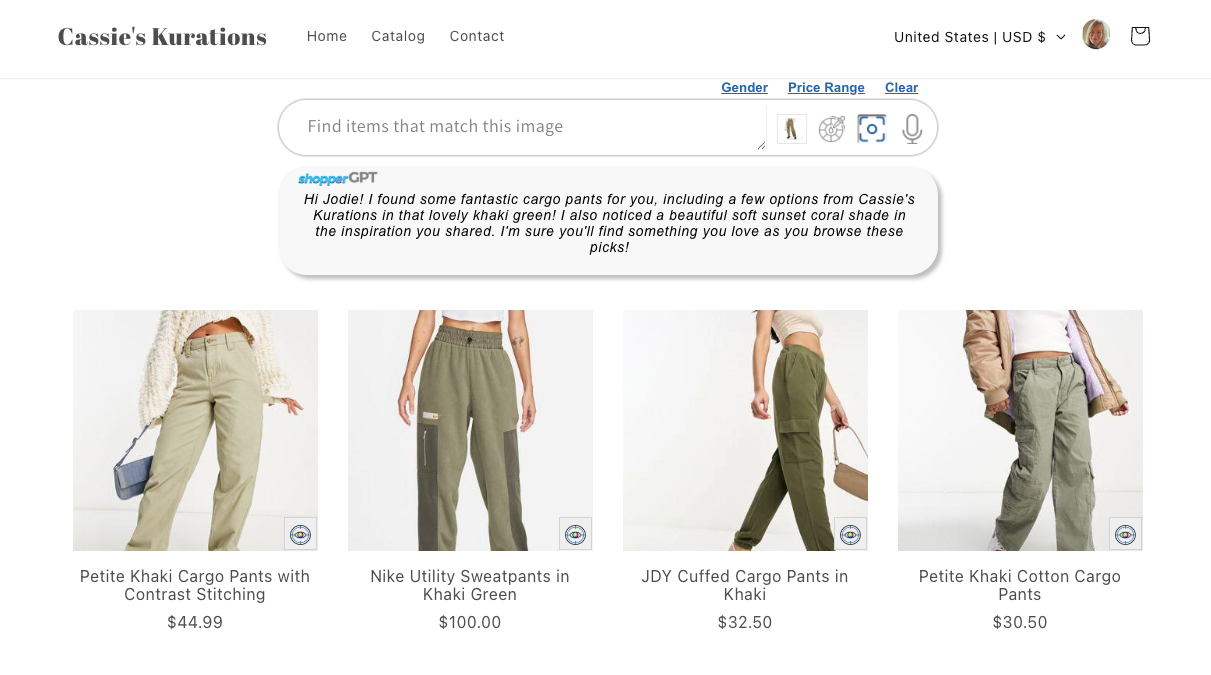
Visual similarity search
Finding visually similar products from an image rather than keywords.
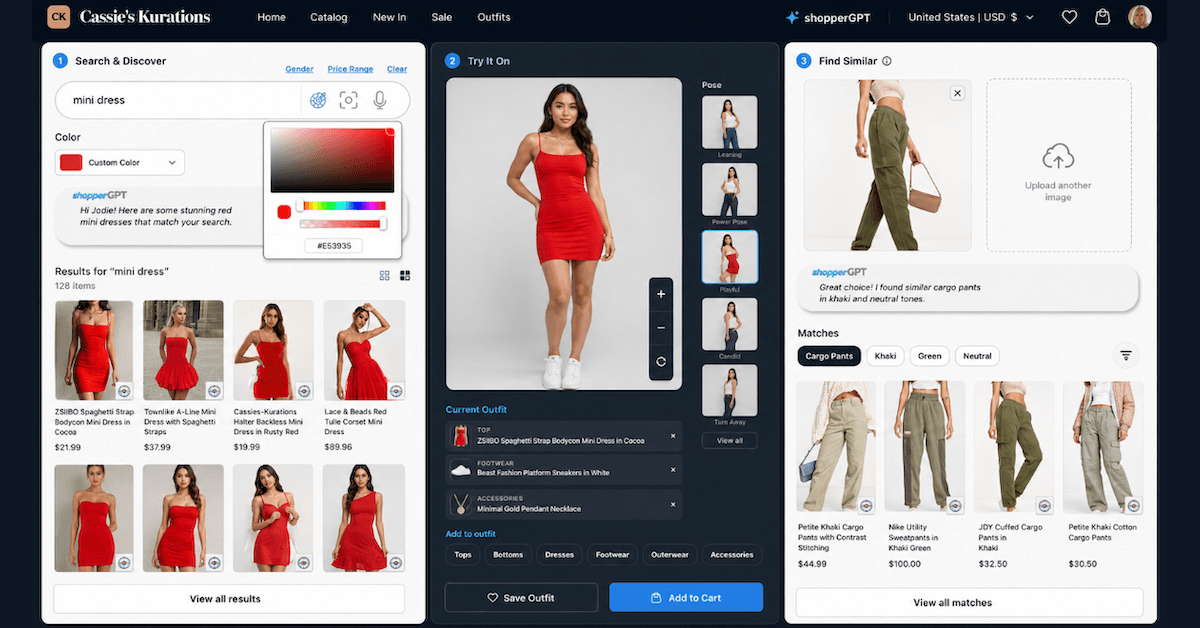
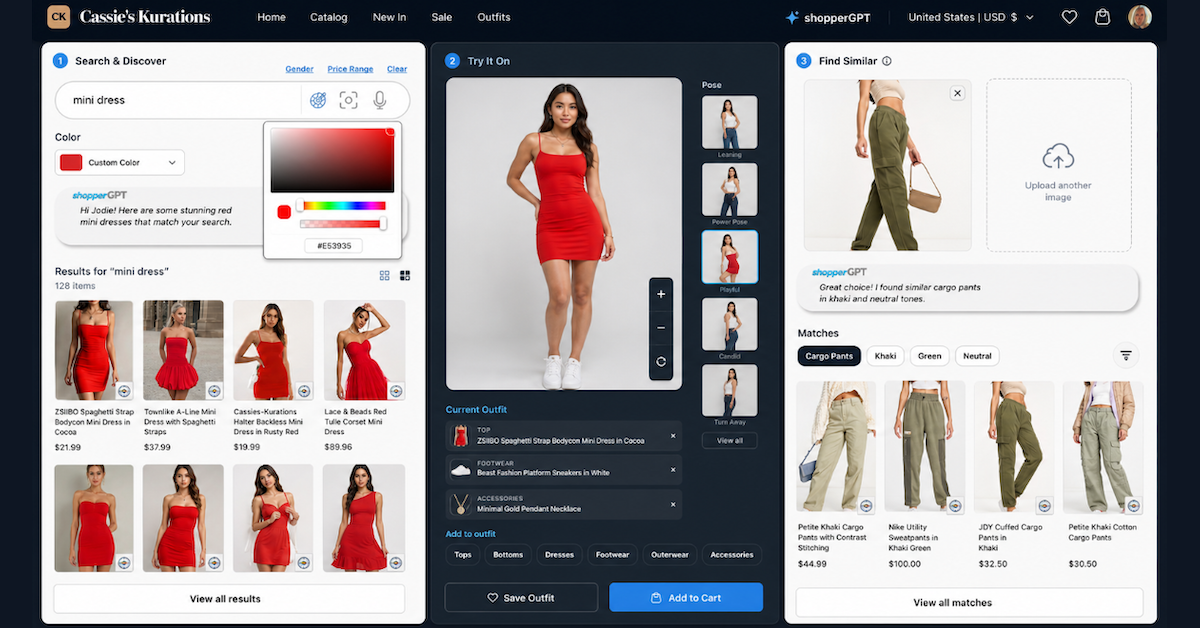
Search with virtual try-on
Search results paired with on-model virtual try-on imagery from studioGPT.
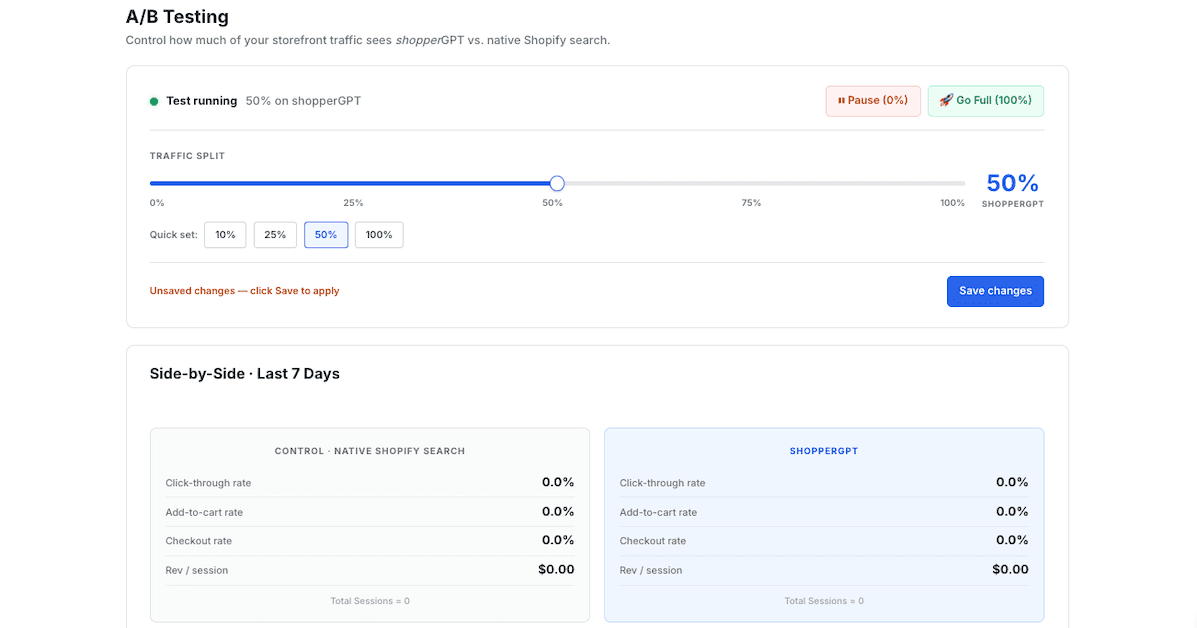
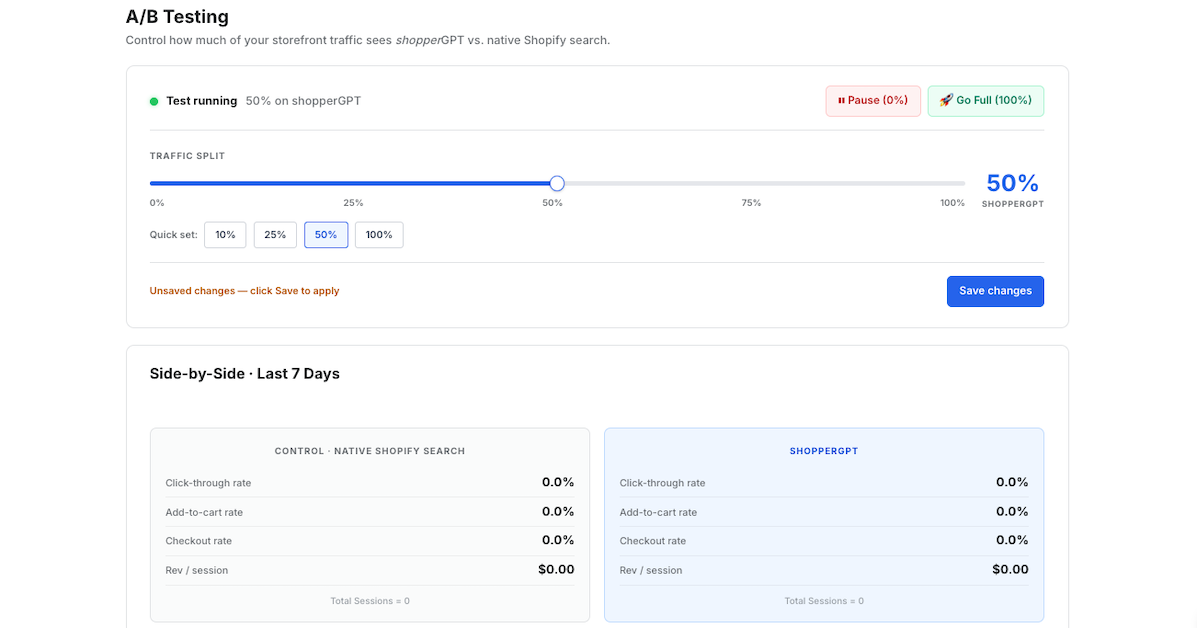
Search A/B testing
Built-in experimentation comparing search configurations on live traffic.

Search bar
The shopperGPT search entry point as it appears in a storefront.
Catalog cleaning & enrichment
cleanerGPT — turning sparse, inconsistent product data into complete, structured, search-ready listings.
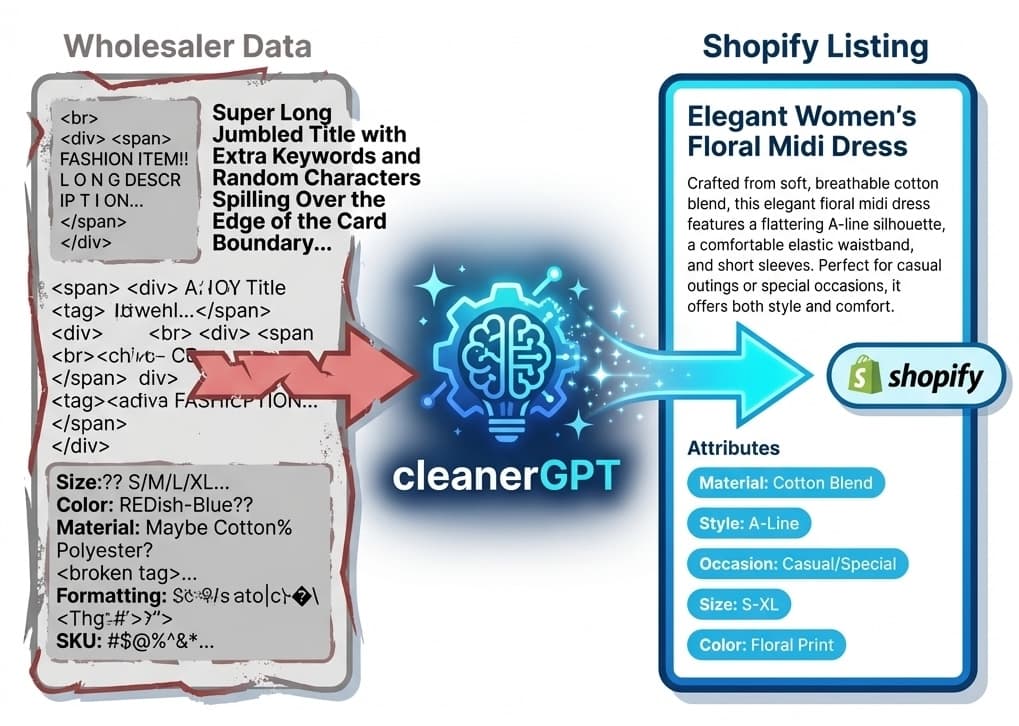
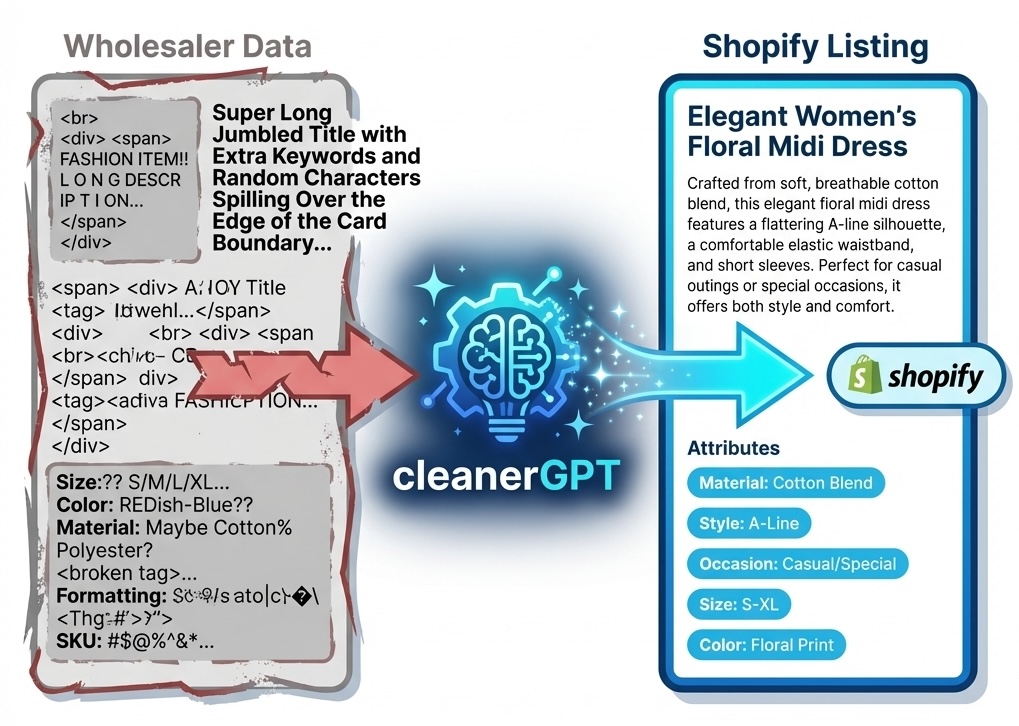
Product data, before and after
cleanerGPT turning messy, incomplete product data into complete structured listings.
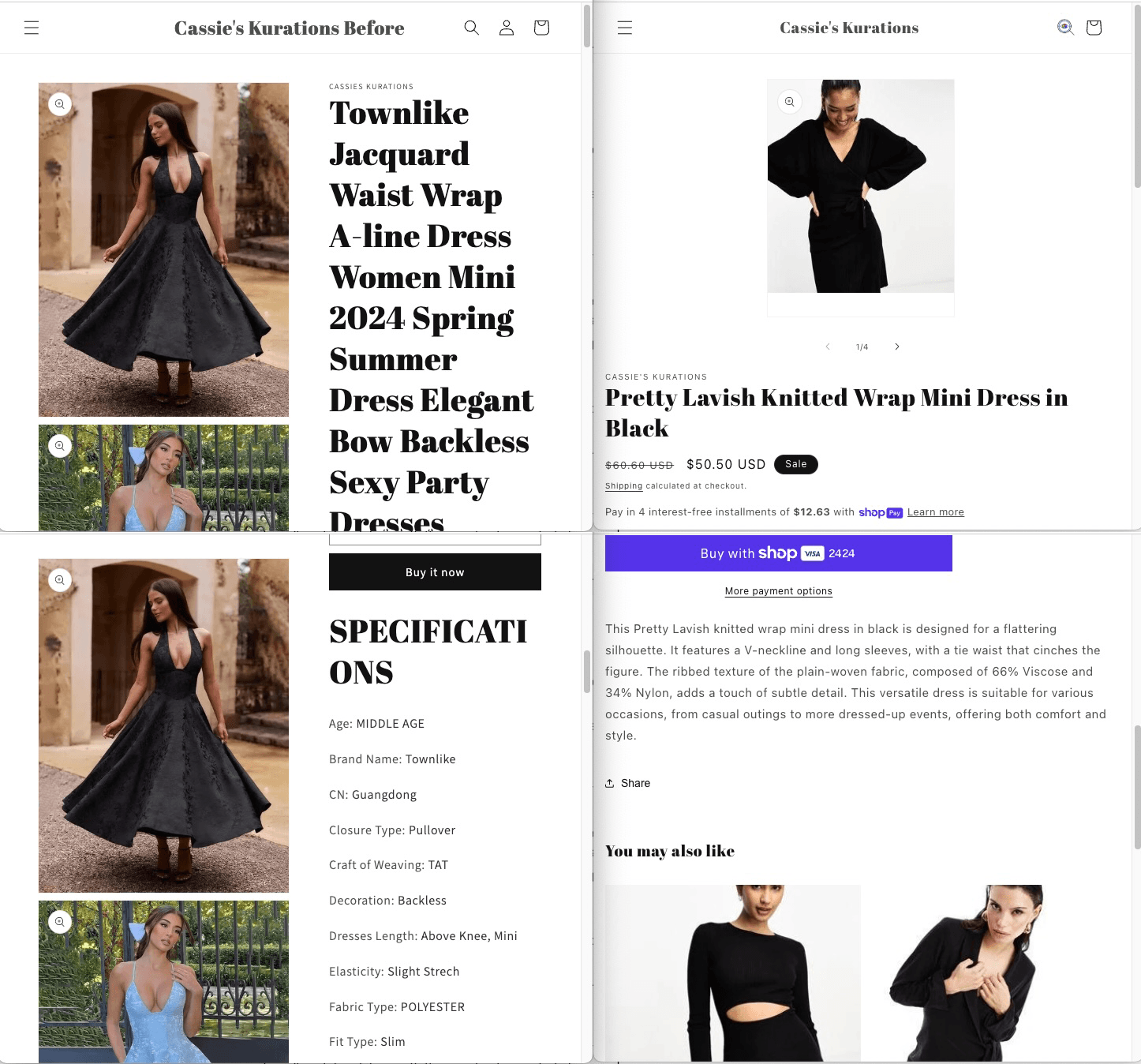
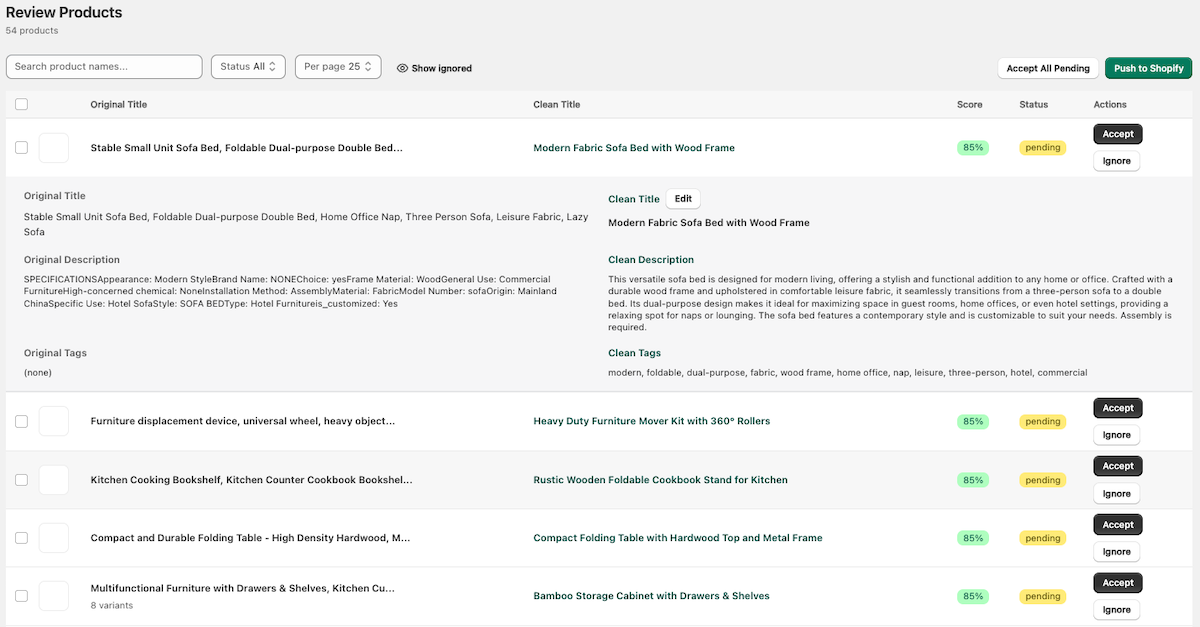
Enriched product detail
A single product record before and after cleanerGPT enrichment.
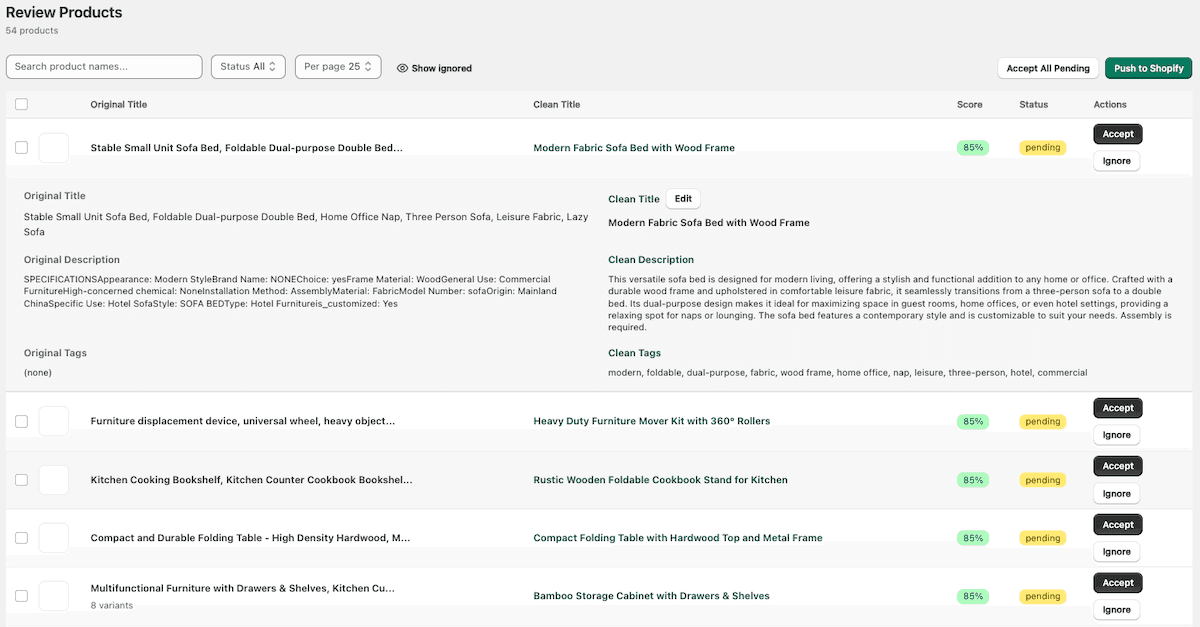
Clean and enrich
How raw catalog data is cleaned, standardized, and enriched.
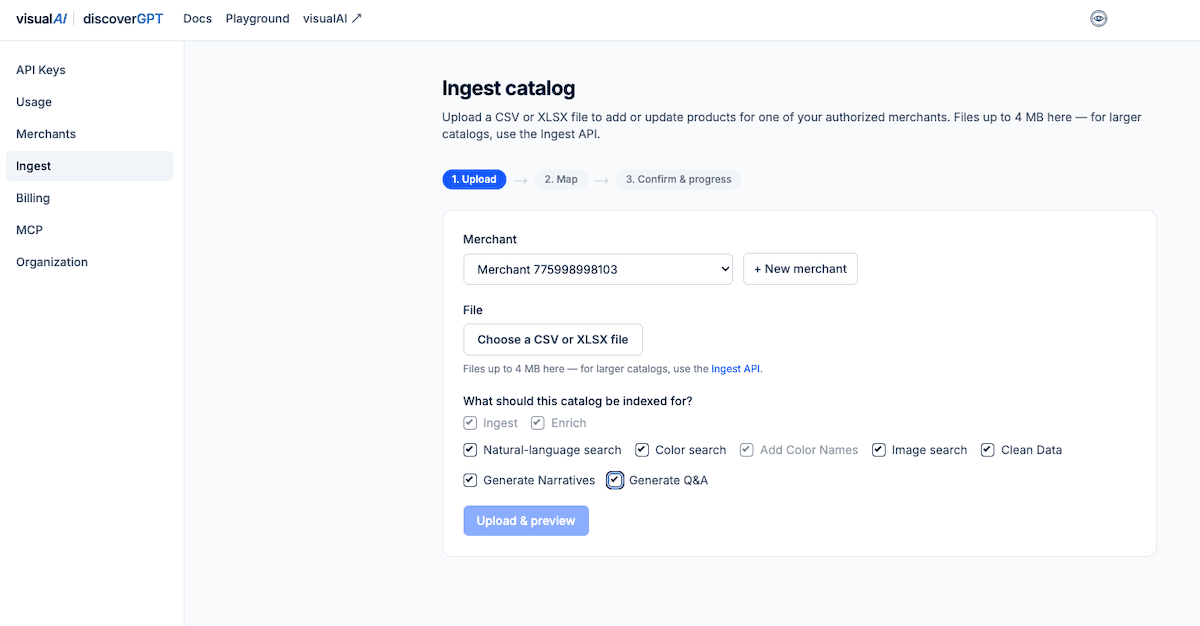
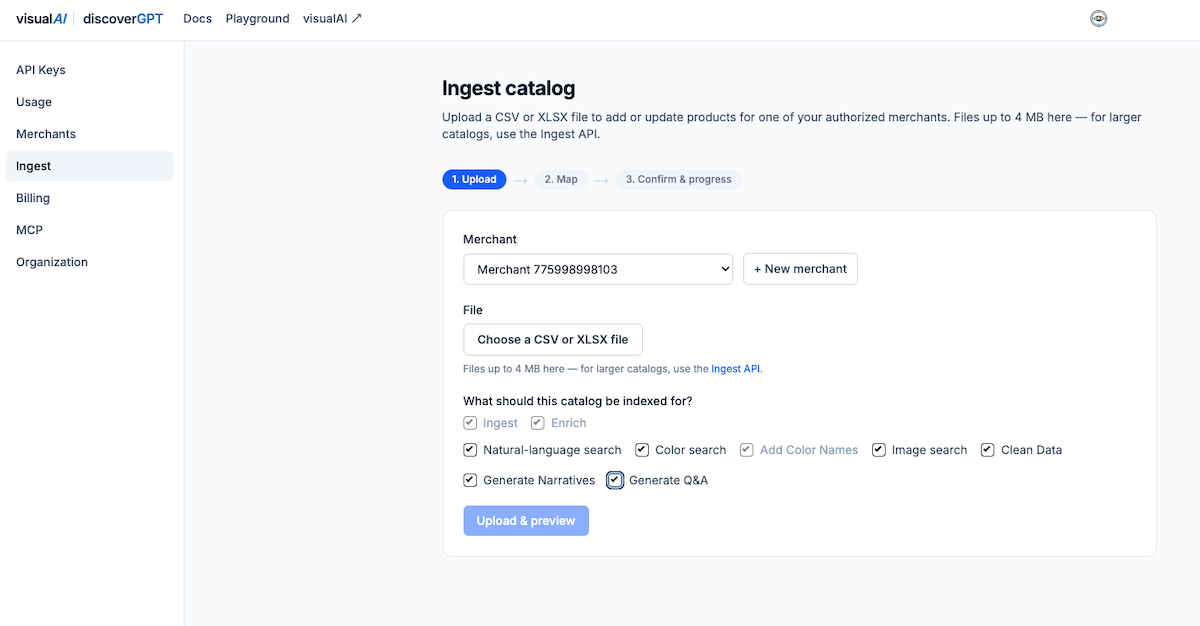
Catalog ingestion
Bringing a merchant catalog into the platform for processing.
Agentic commerce & AI discovery
catalogGPT and discoverGPT — publishing a merchant’s catalog in the structured formats AI agents consume, so products show up wherever shoppers ask.
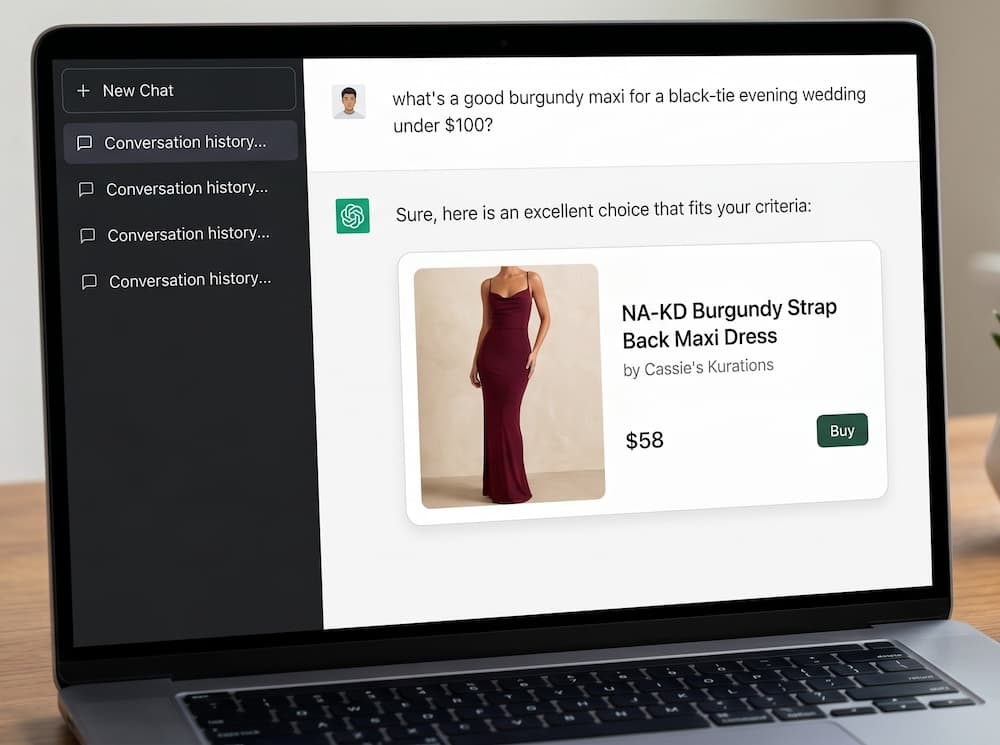
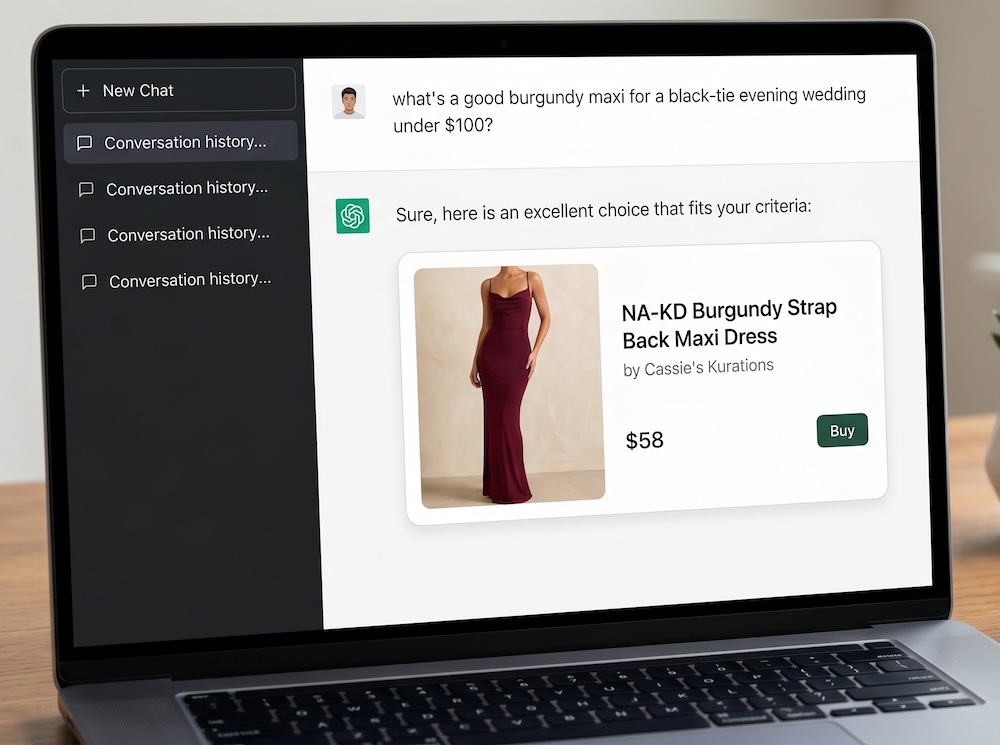
Catalog in ChatGPT
A merchant’s products surfaced to shoppers inside ChatGPT.
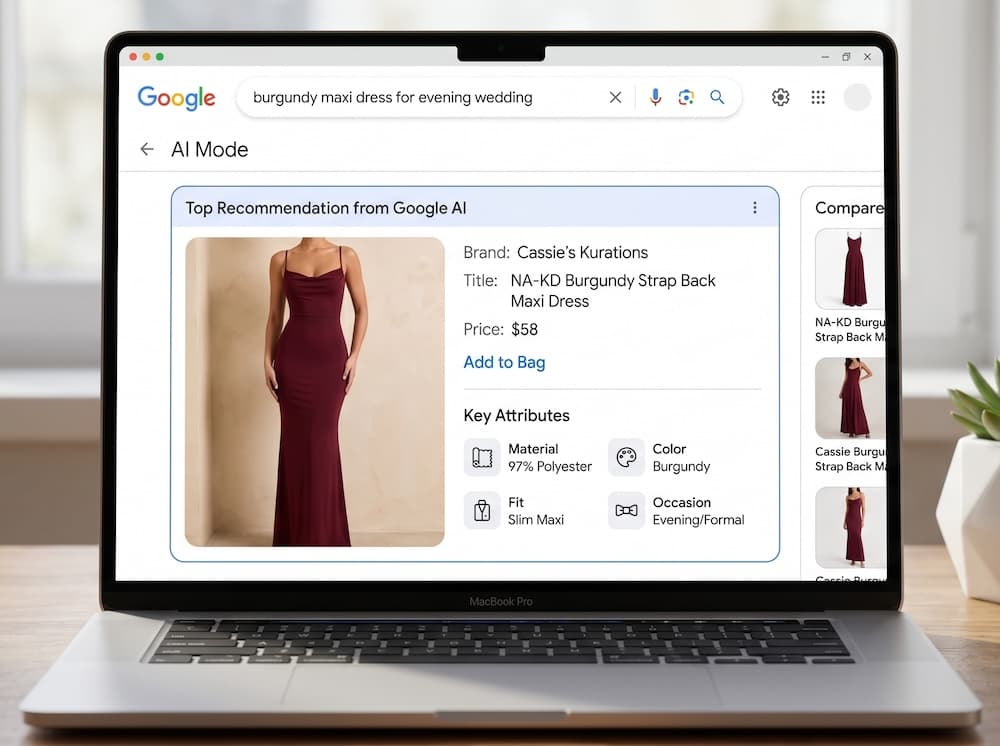
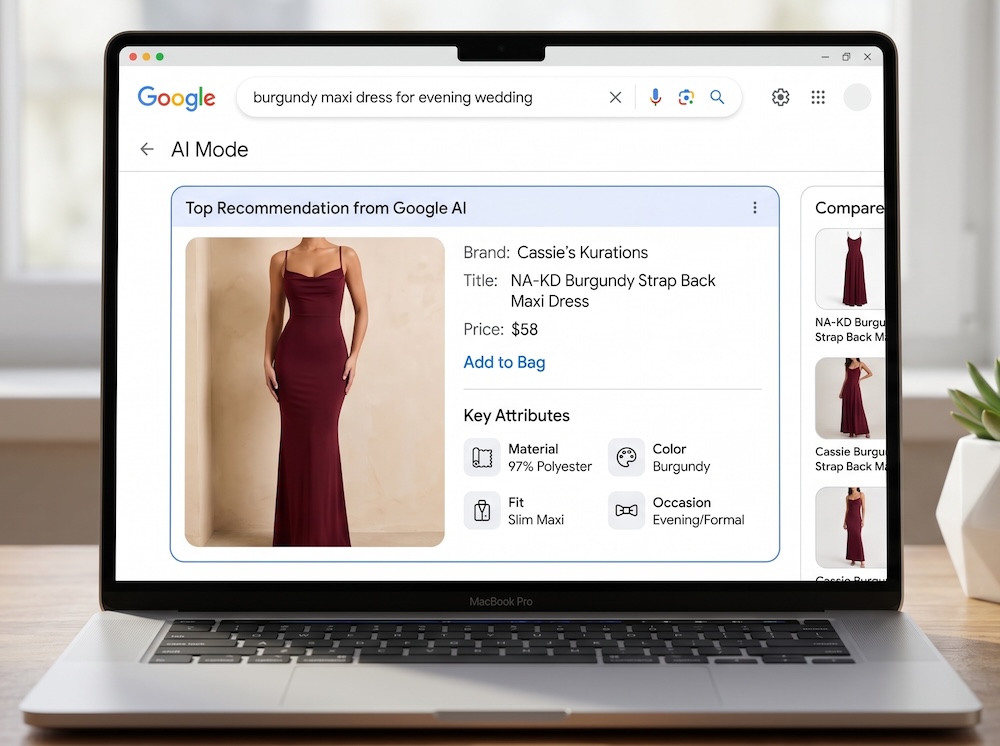
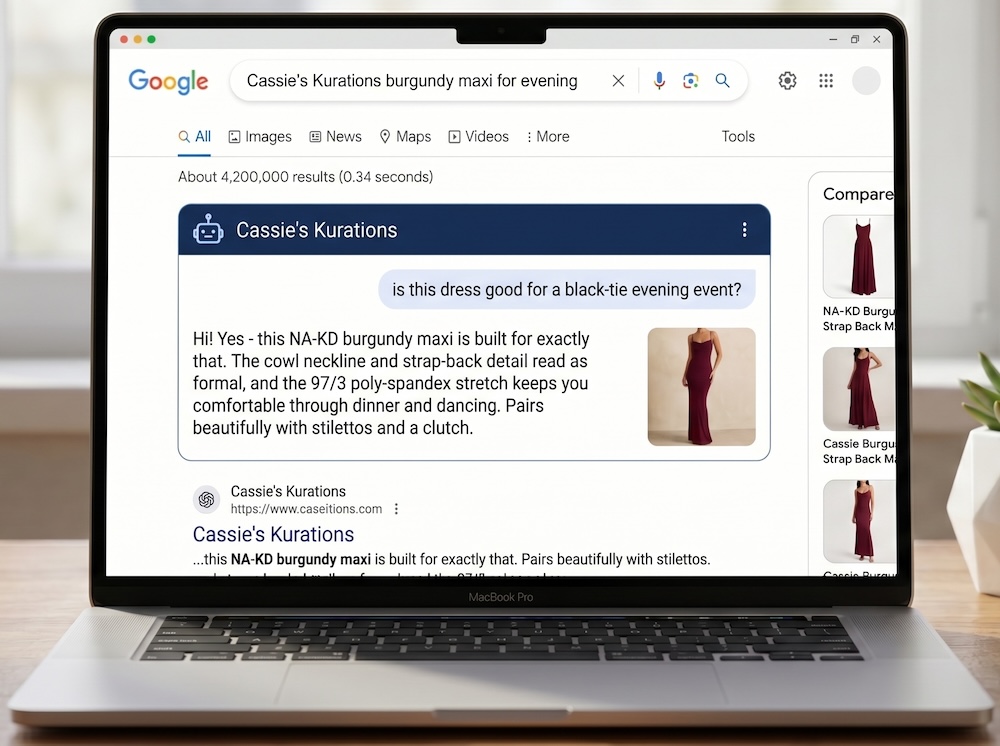
Catalog in Google AI Mode
A merchant’s products surfaced in Google’s AI search experience.
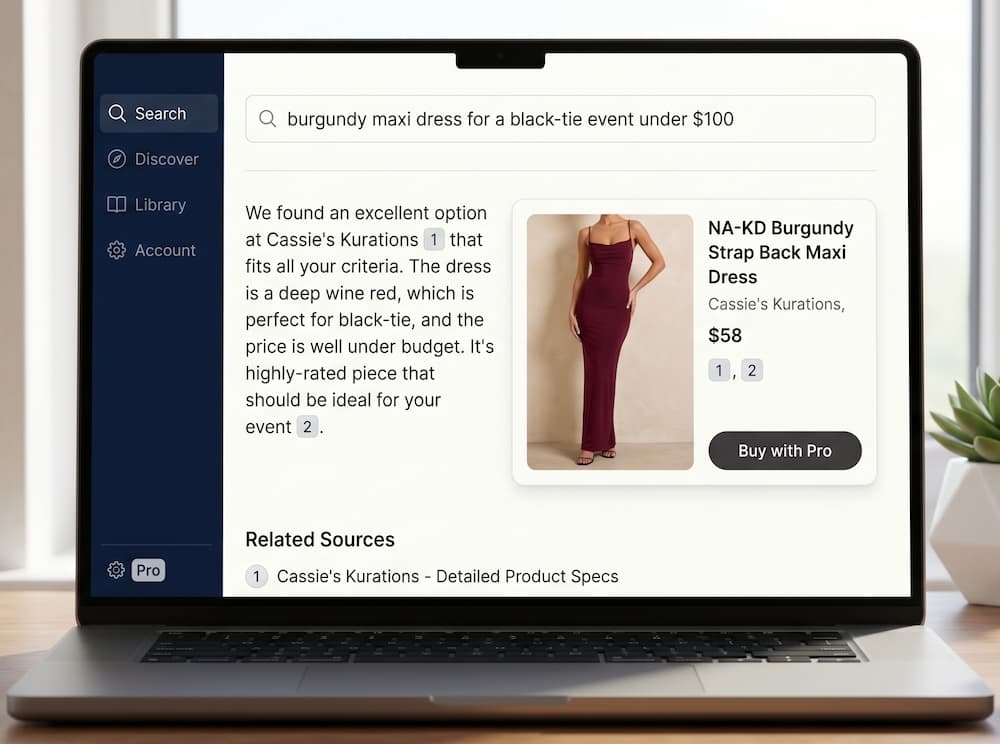
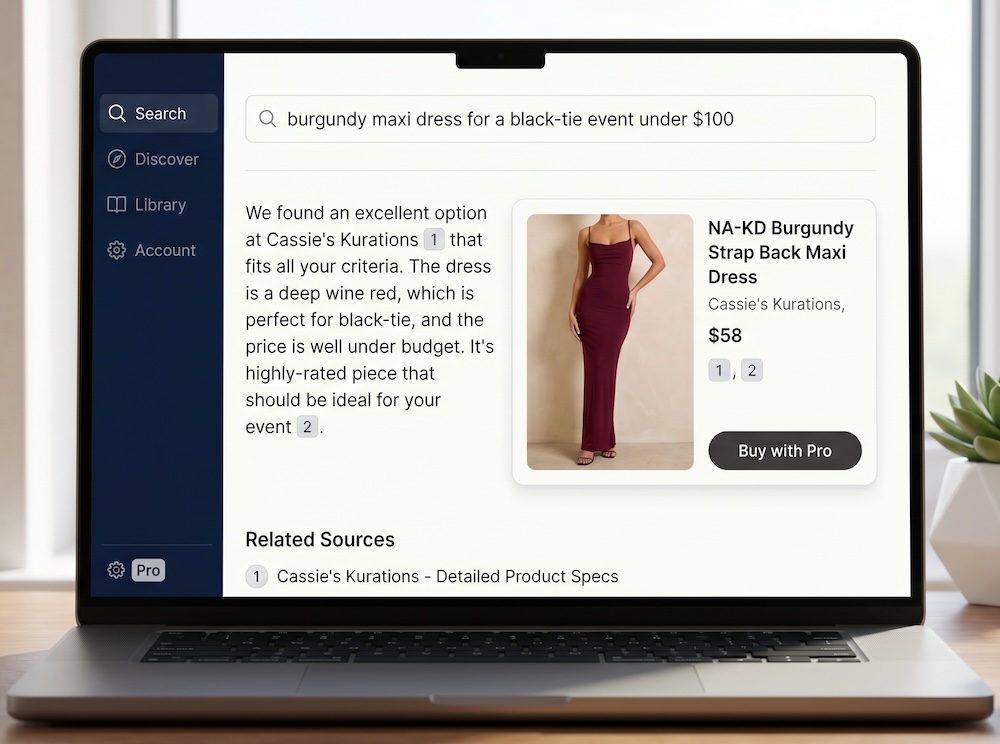
Catalog in Perplexity
A merchant’s products surfaced to shoppers inside Perplexity.
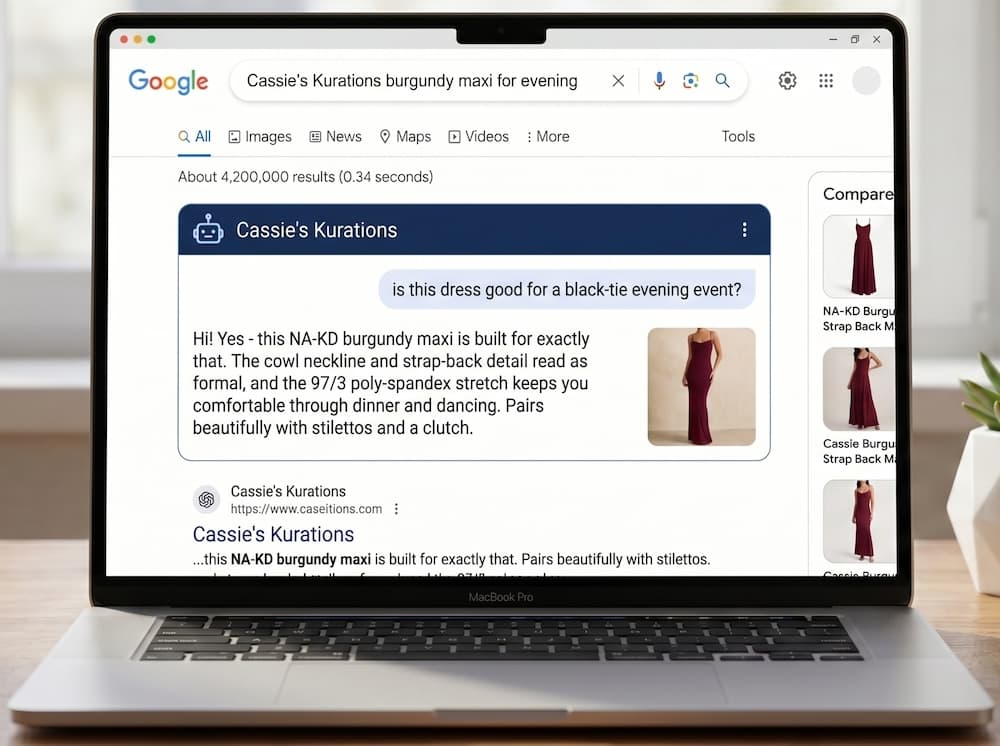
Catalog for business agents
Product data made legible to autonomous shopping agents.
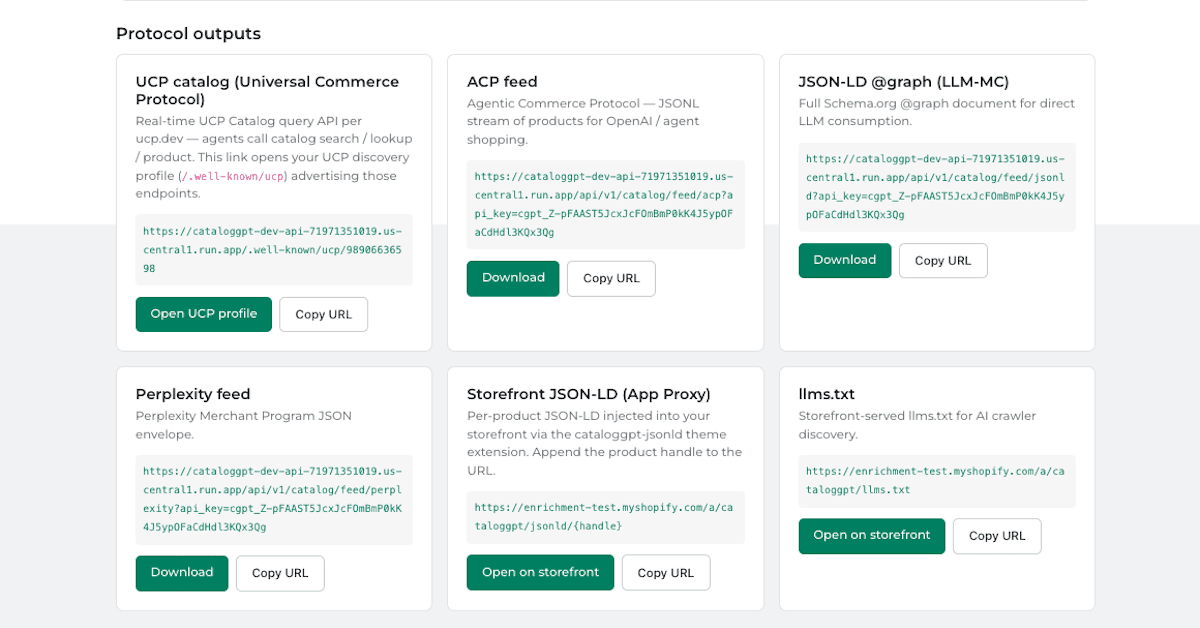
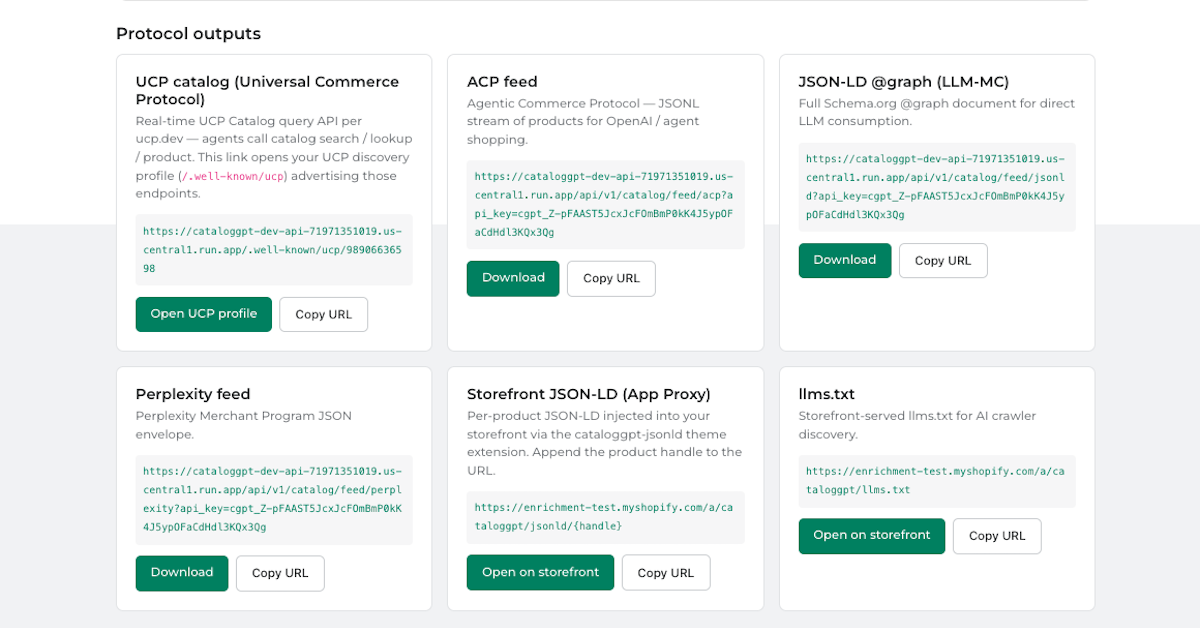
Protocol feeds
Structured catalog feeds published in the formats AI agents consume.
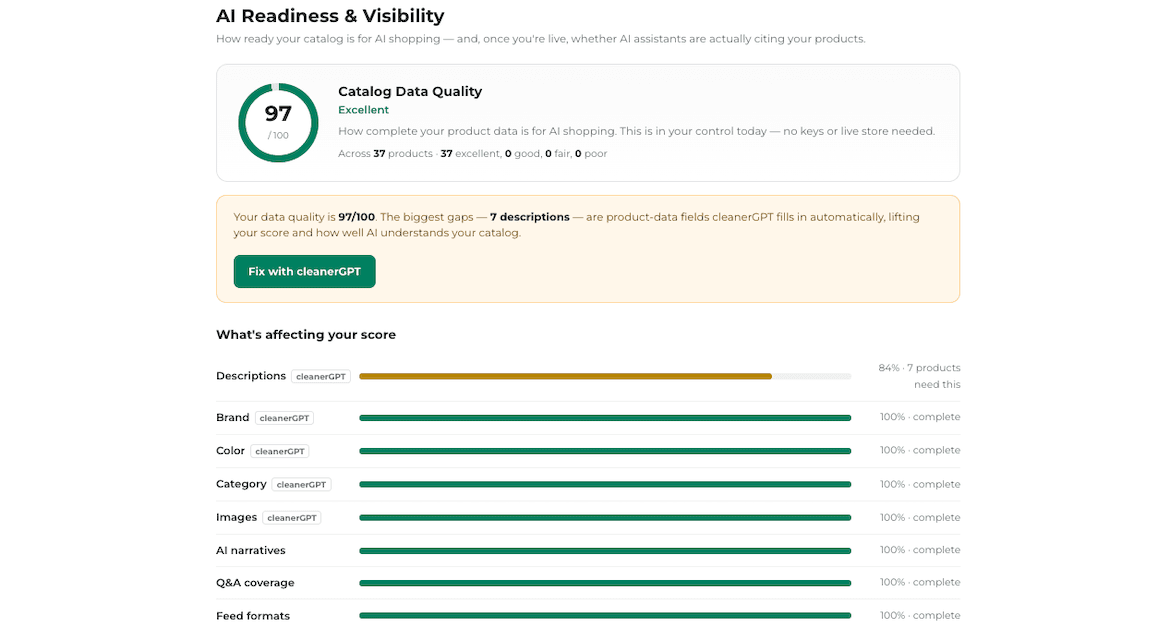
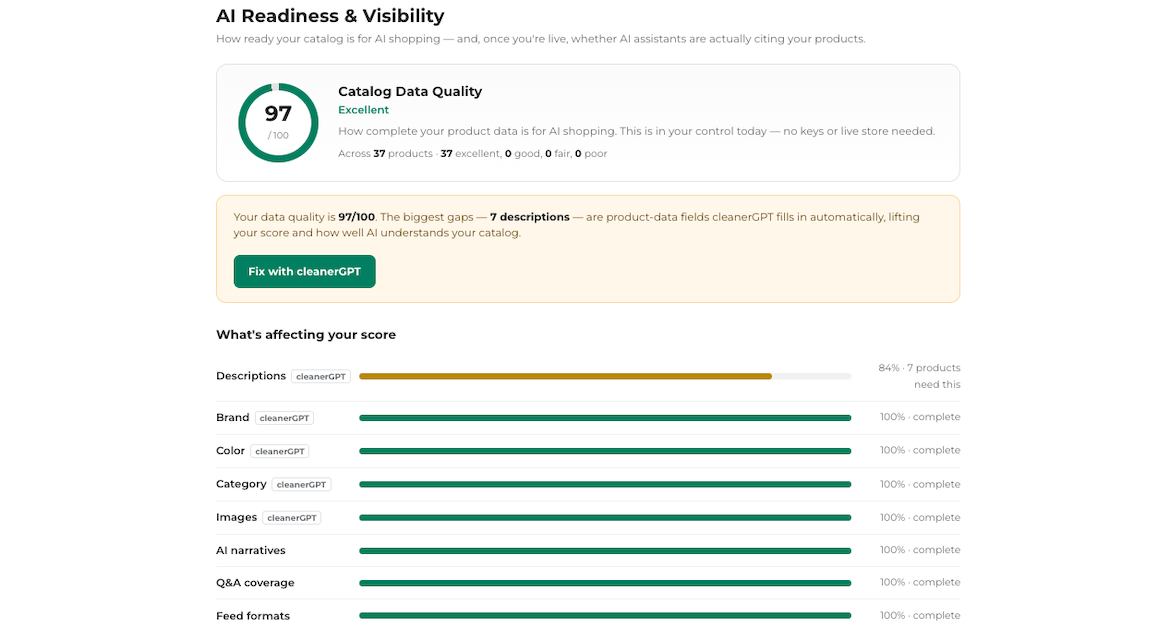
AI visibility & readiness scoring
Scoring how ready a catalog is to be found and used by AI agents.
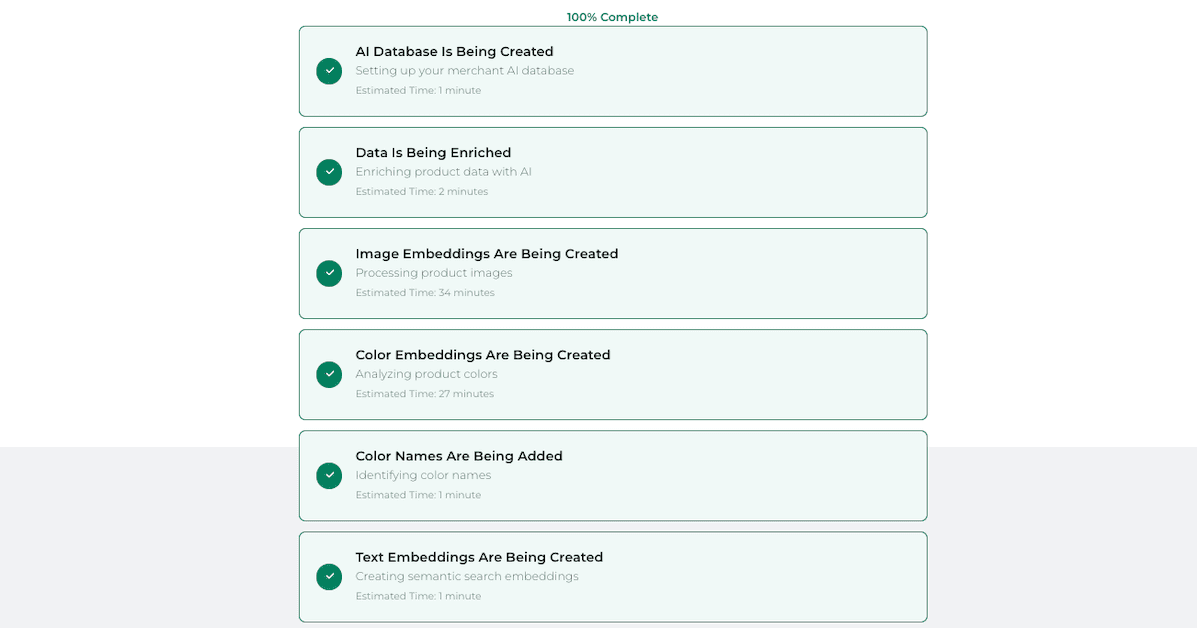
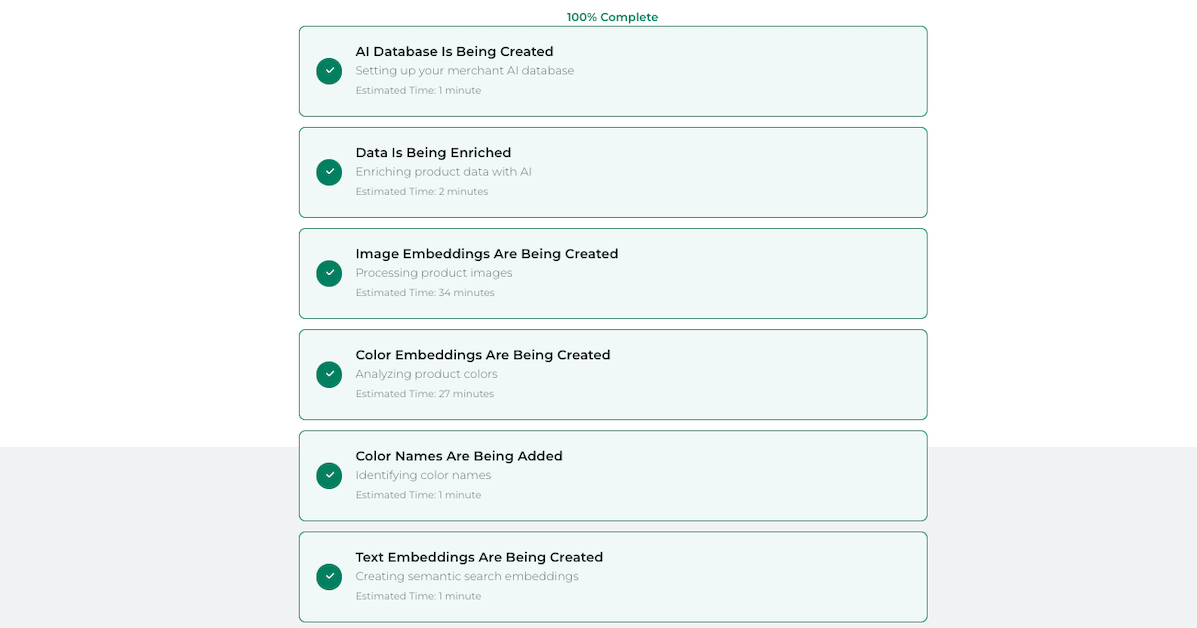
AI orchestrator
Coordinating catalog enrichment and syndication across AI destinations.
Developer platform
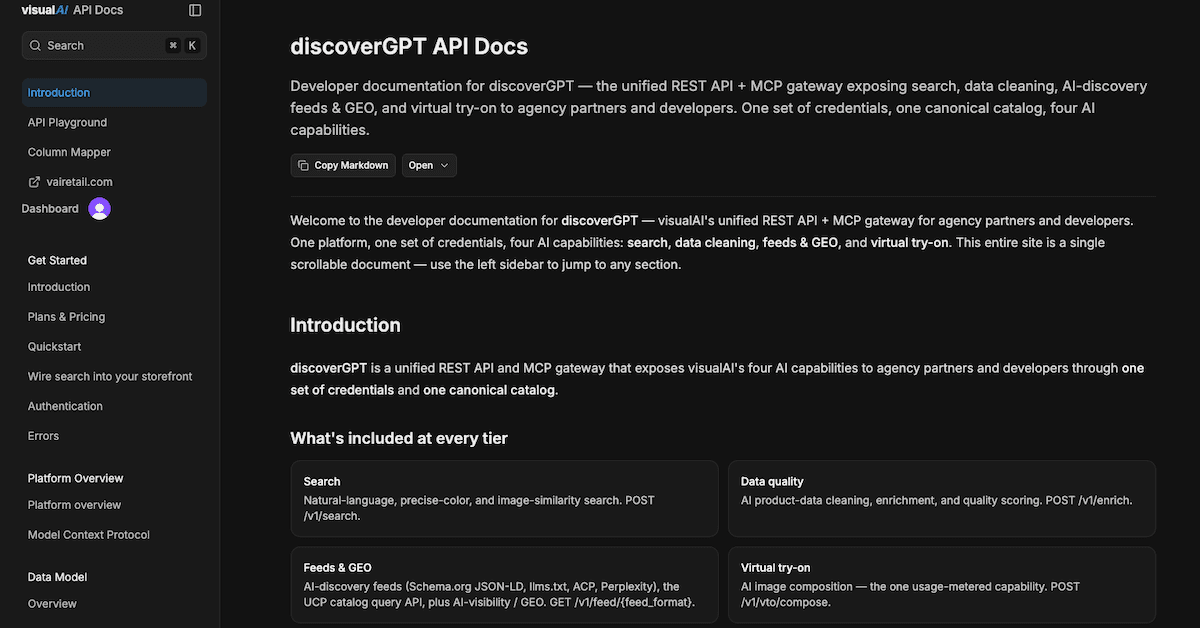
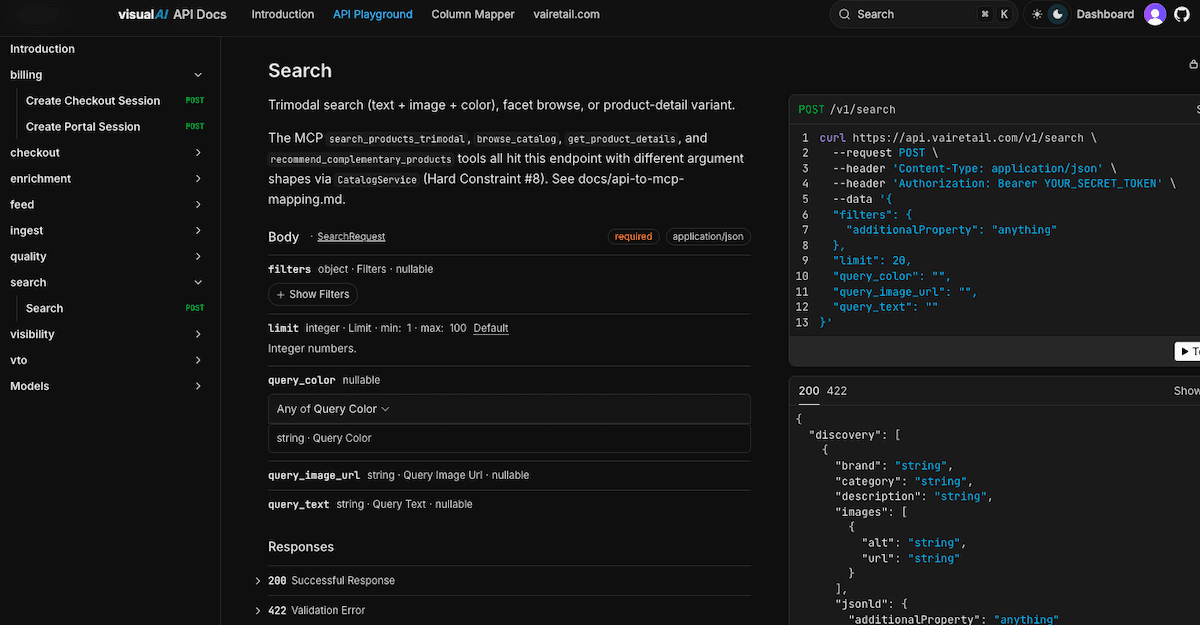
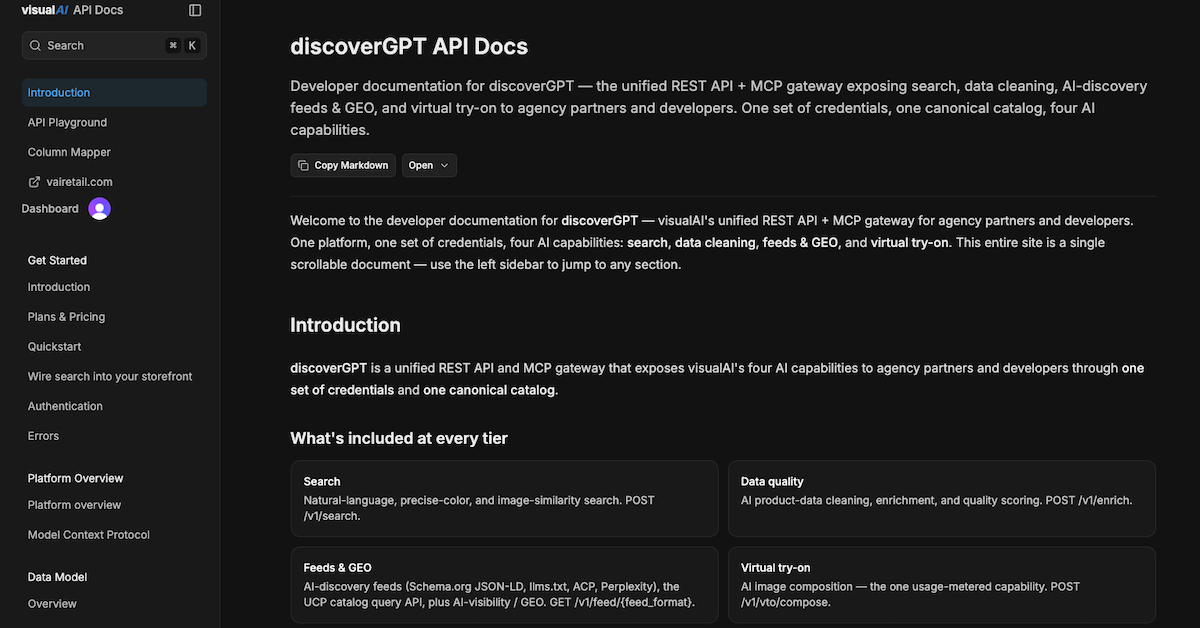
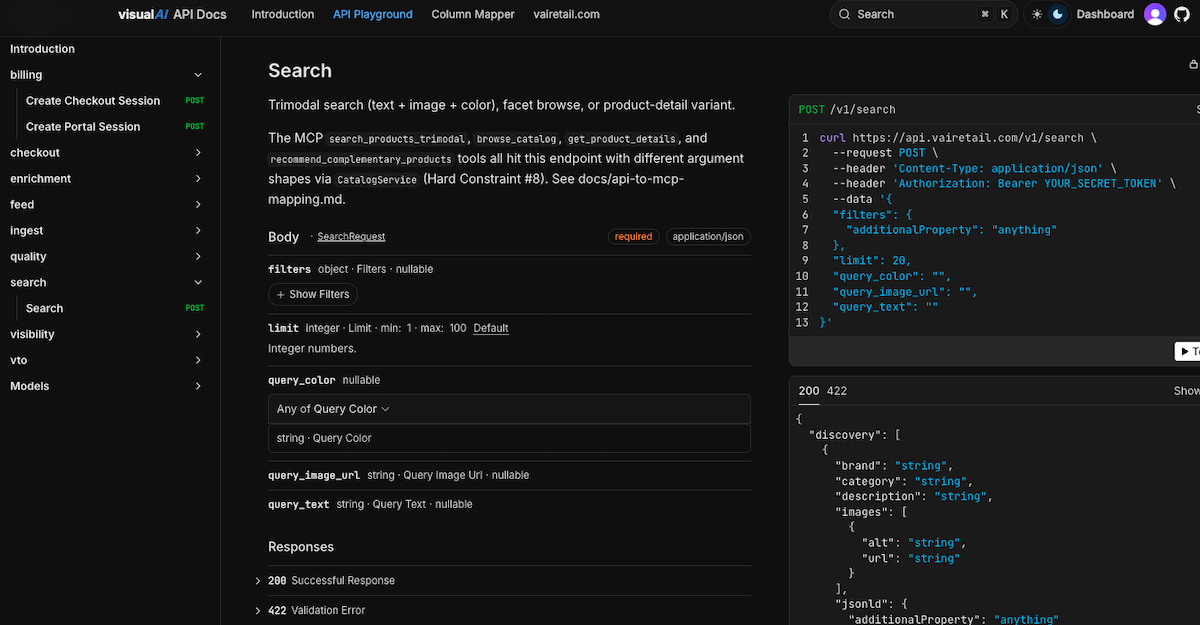
The platform delivered as APIs and MCP tools — search, enrichment, feeds, and virtual try-on for teams that want to build directly.










Diagrams & concept art
Architecture diagrams and editorial illustration. The concept art is the imagery visualAI uses in its own writing — useful as accompanying art, not product screenshots.

shopperGPT pipeline
How a query flows through shopperGPT from input to ranked results.

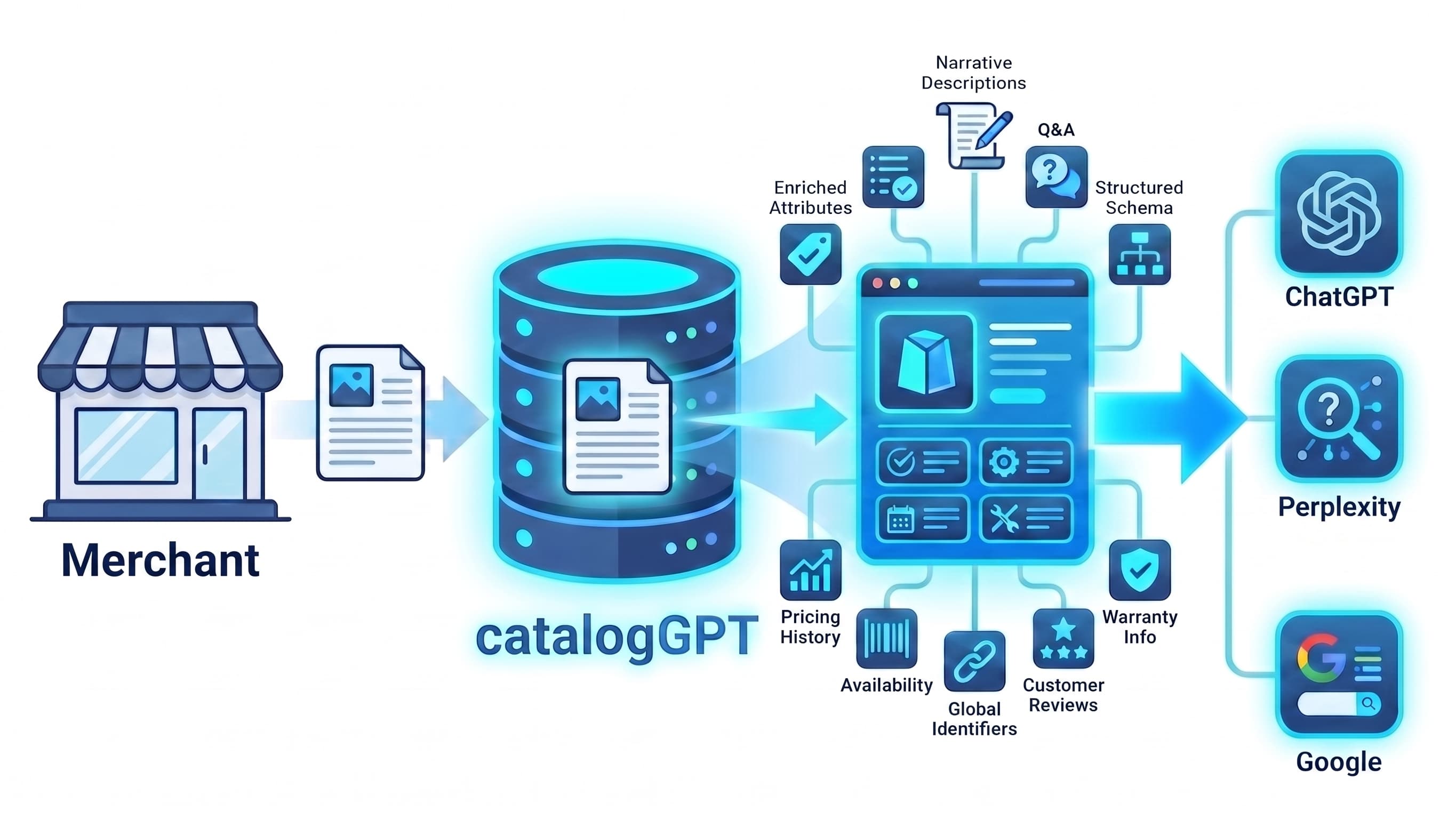
catalogGPT key art
Key art for catalogGPT.
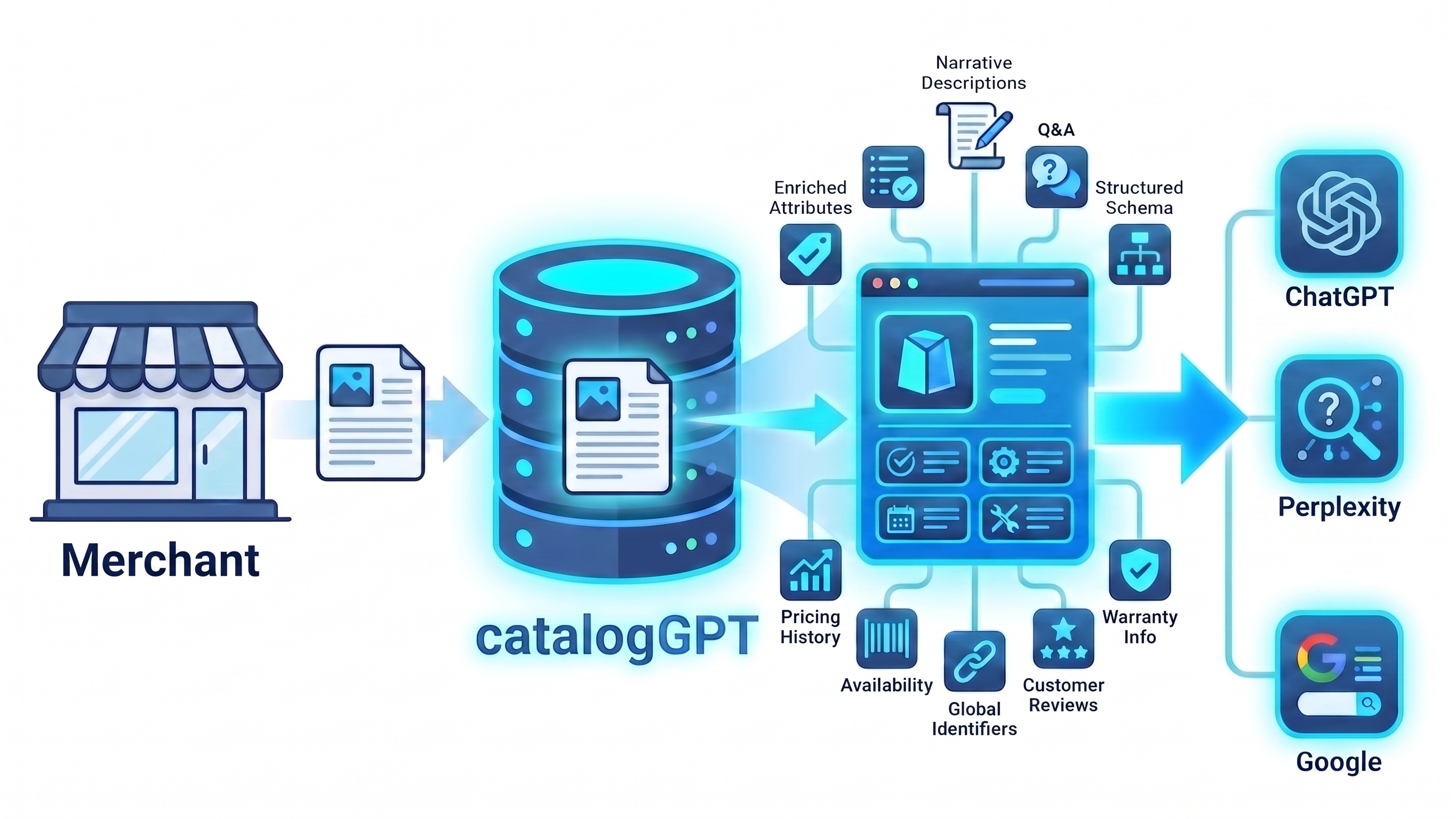

The merchant discovery problem
Editorial illustration of the discovery challenge merchants face.
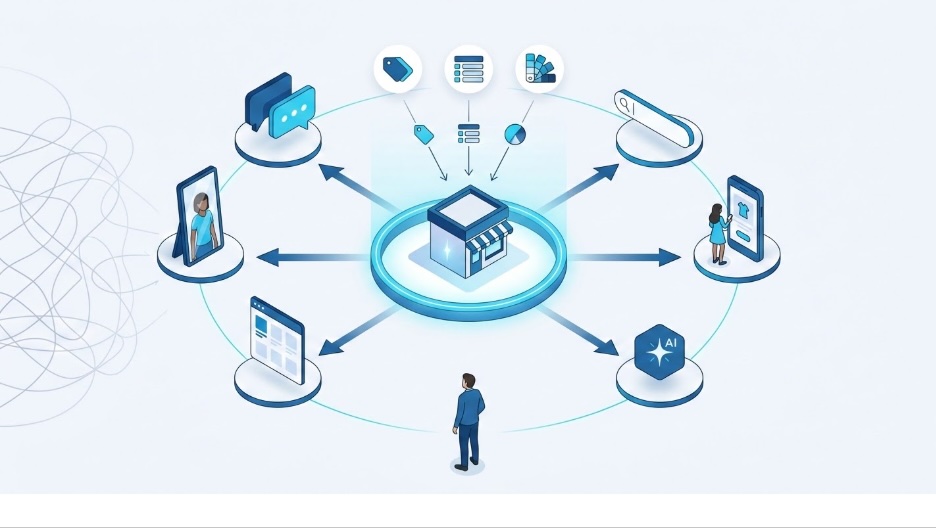

The commerce search problem
Editorial illustration on why traditional commerce search falls short.

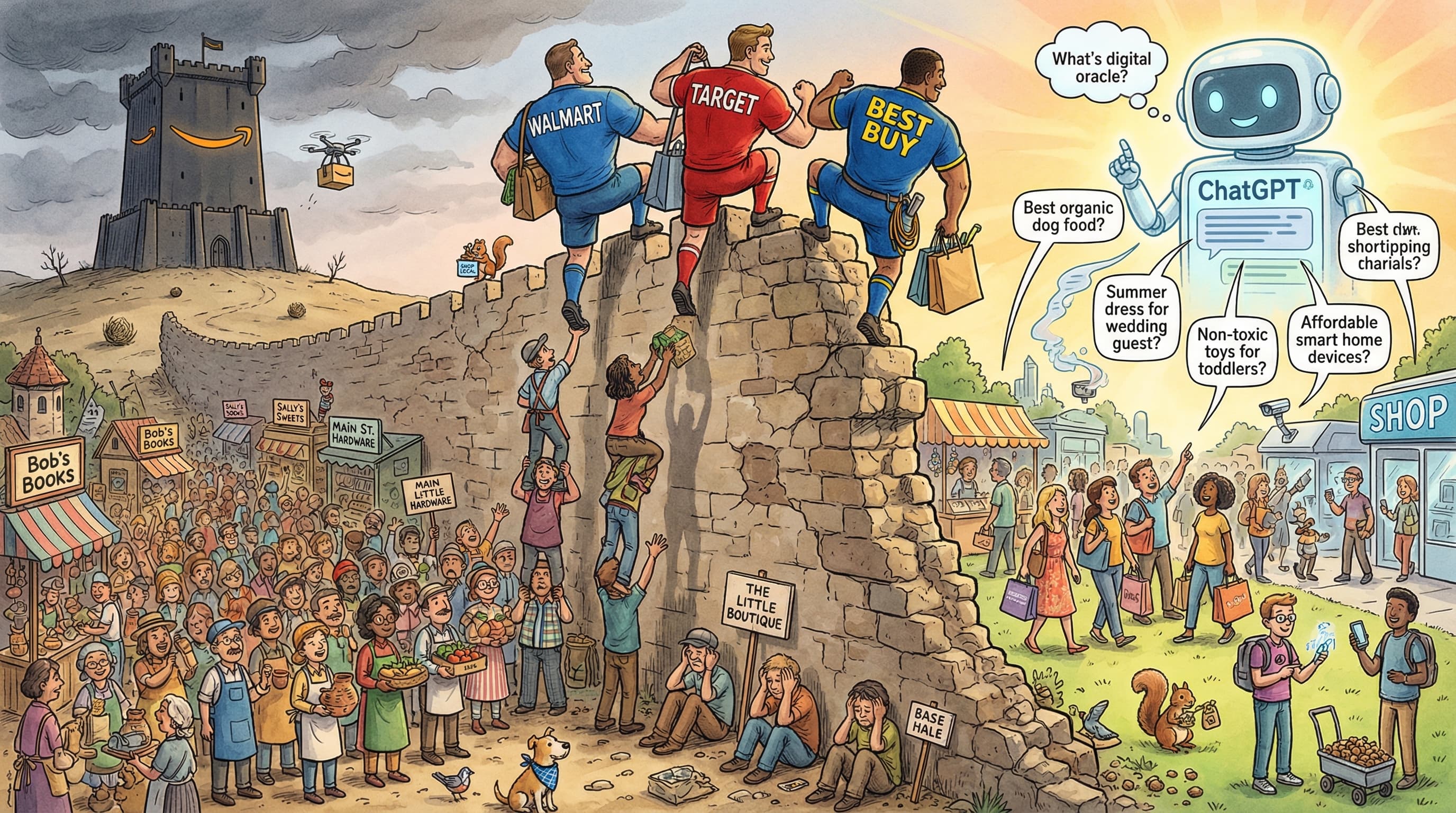
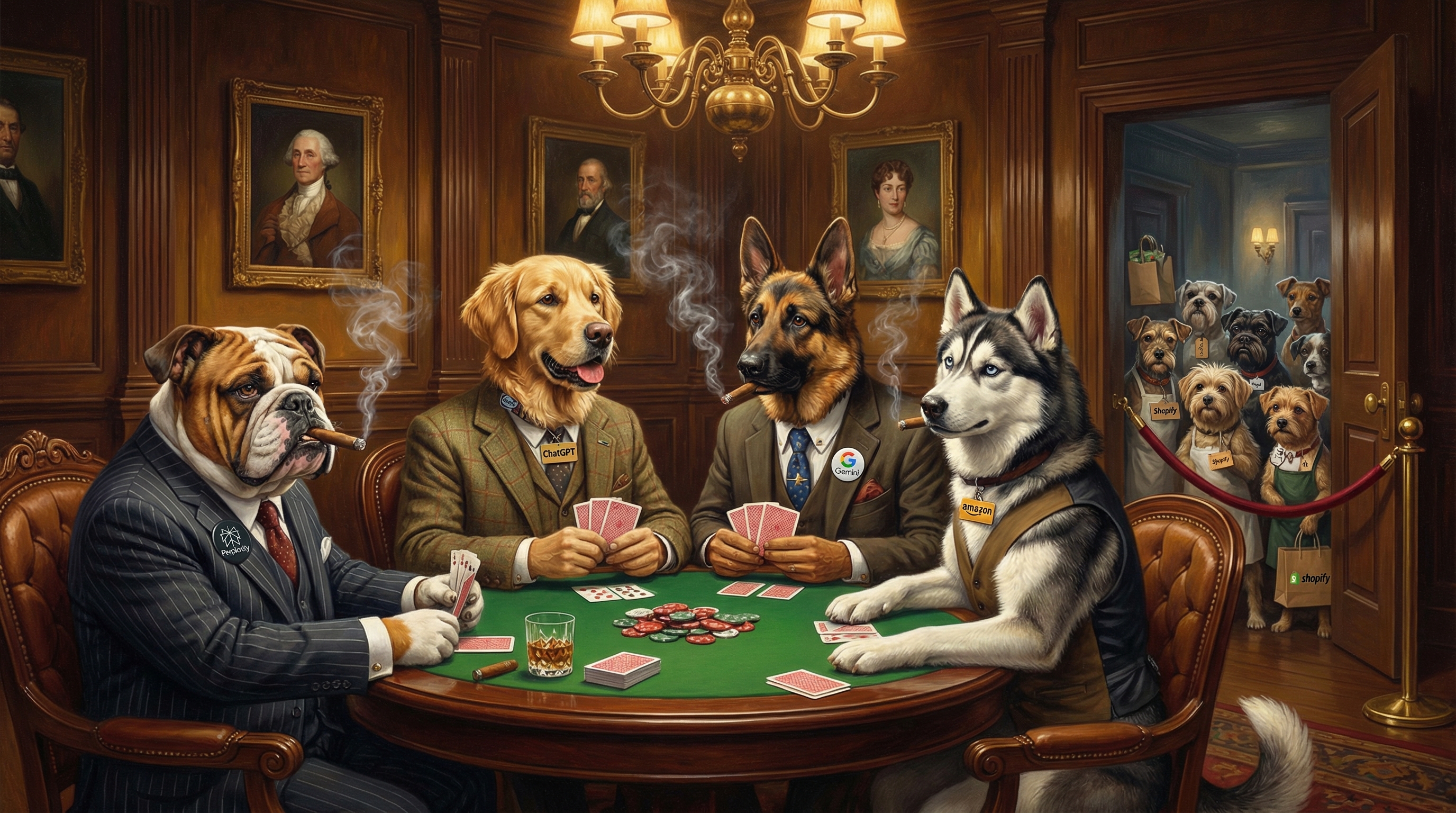
AI giants
Editorial concept art.
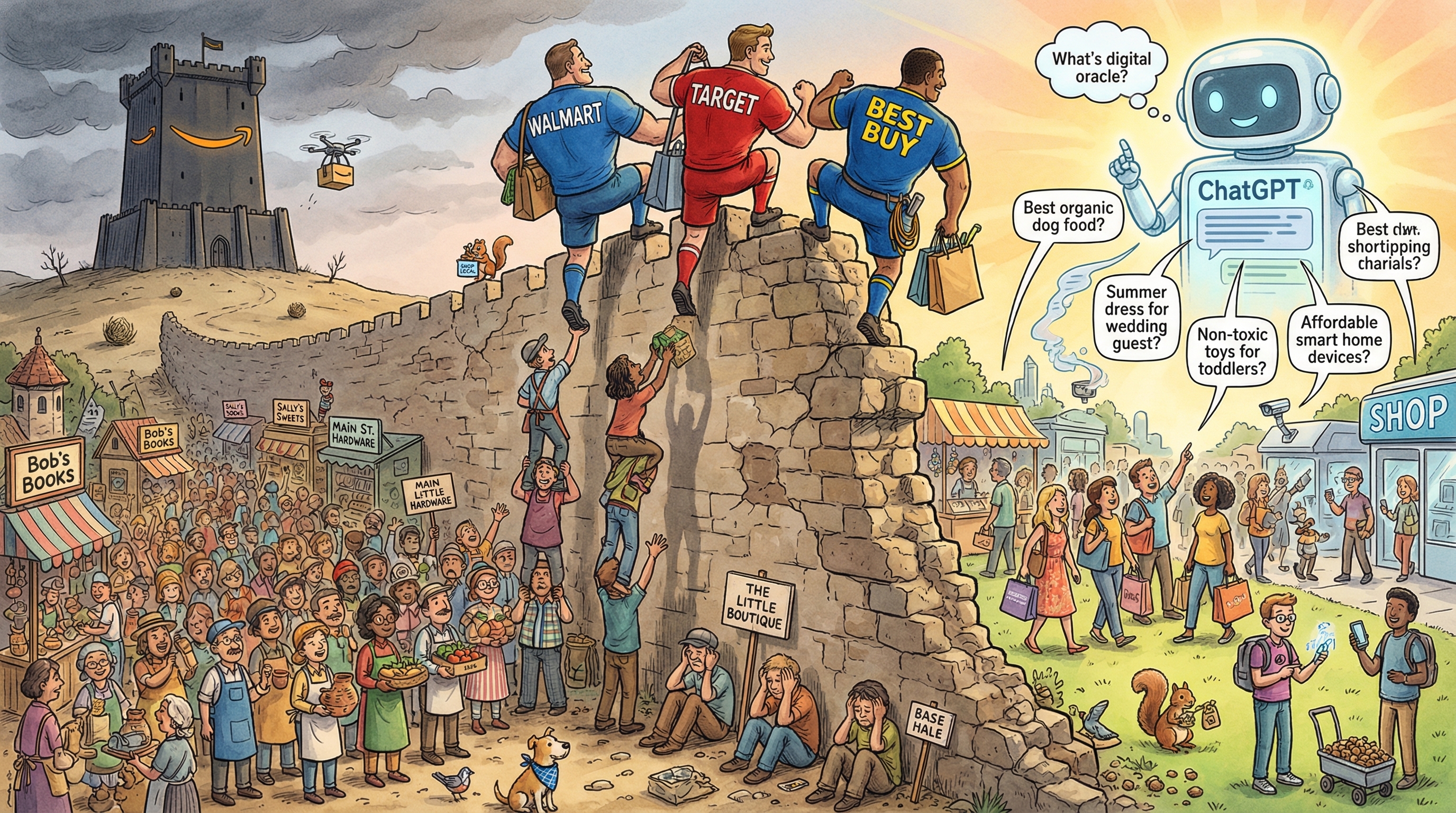
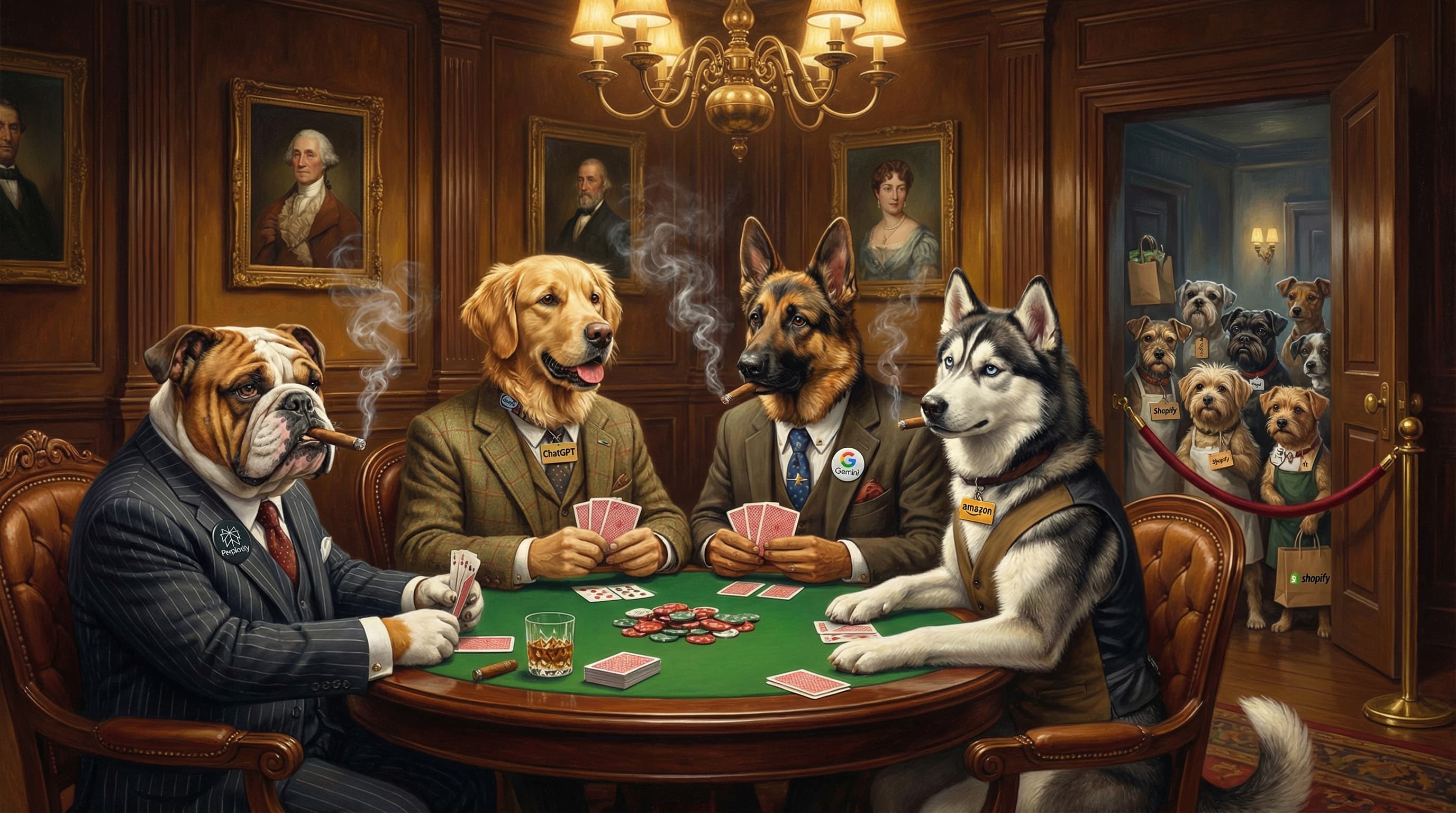
Table stakes
Editorial concept art.
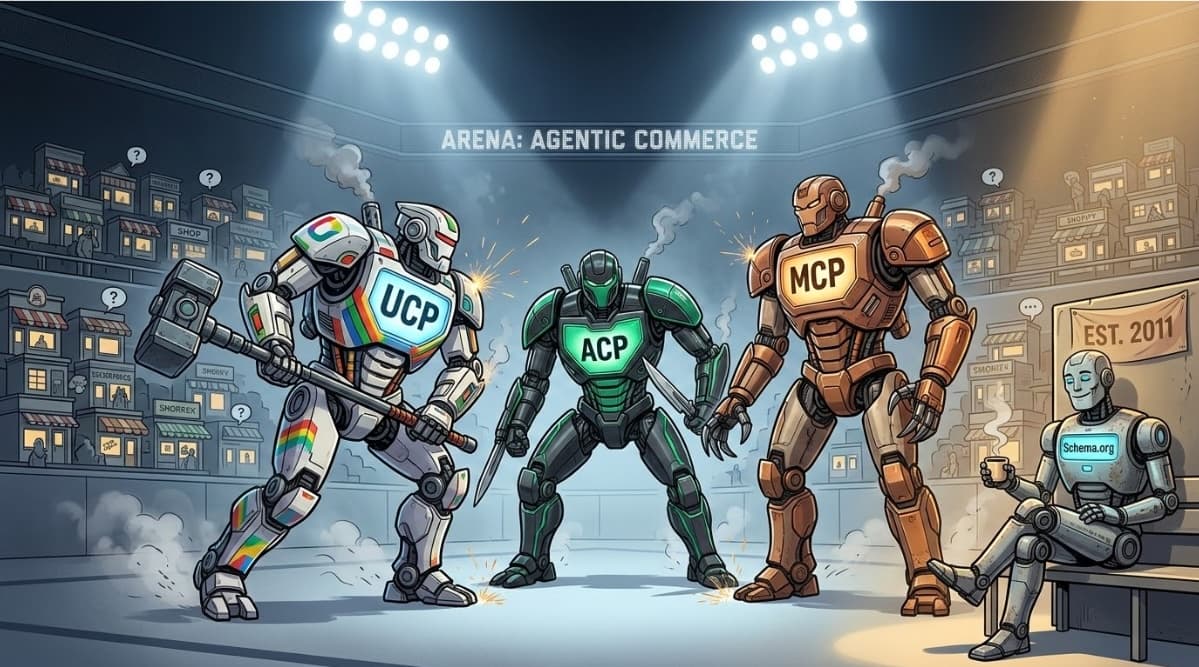
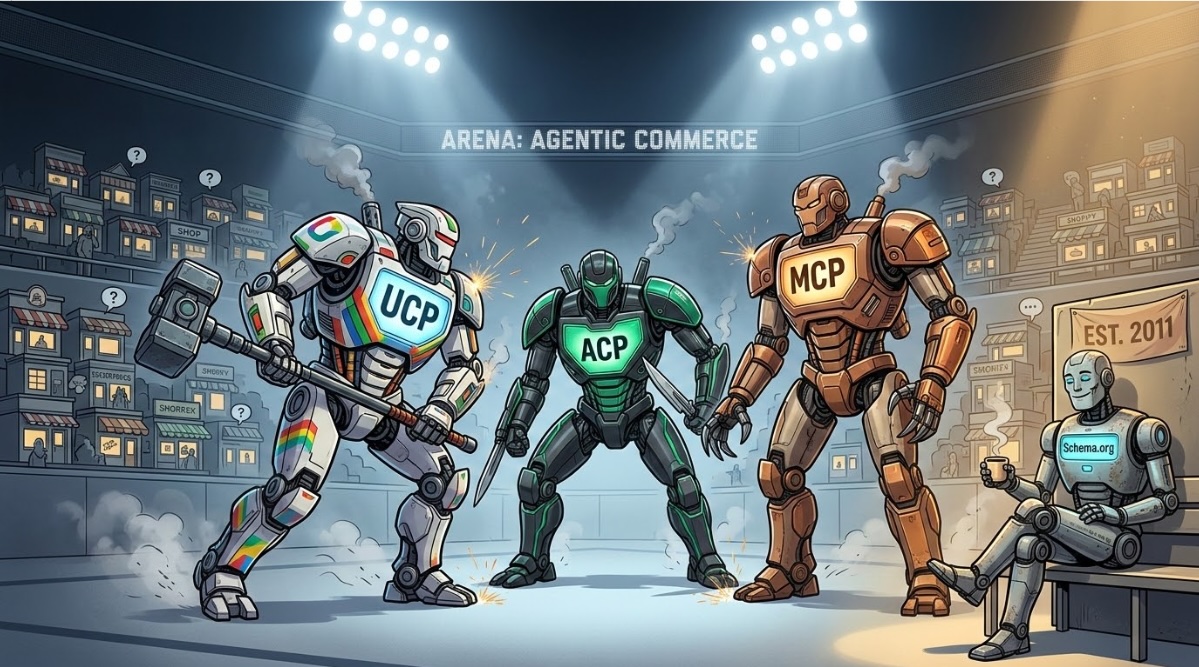
Agentic commerce
Editorial concept art.
Video
Product walkthroughs and demos. Opens on YouTube — embed or link freely.

shopperGPT — live demo store walk-through
A guided tour of shopperGPT running on a live storefront, showing natural-language, color, and image search in action.
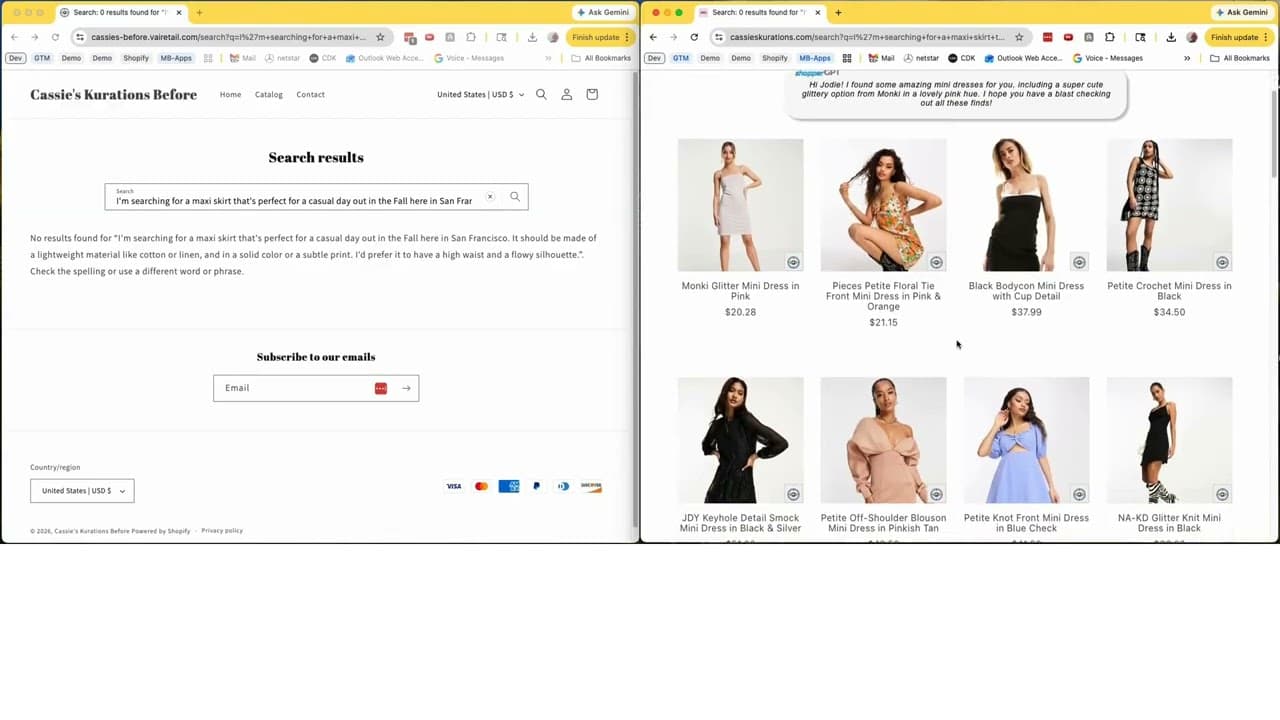
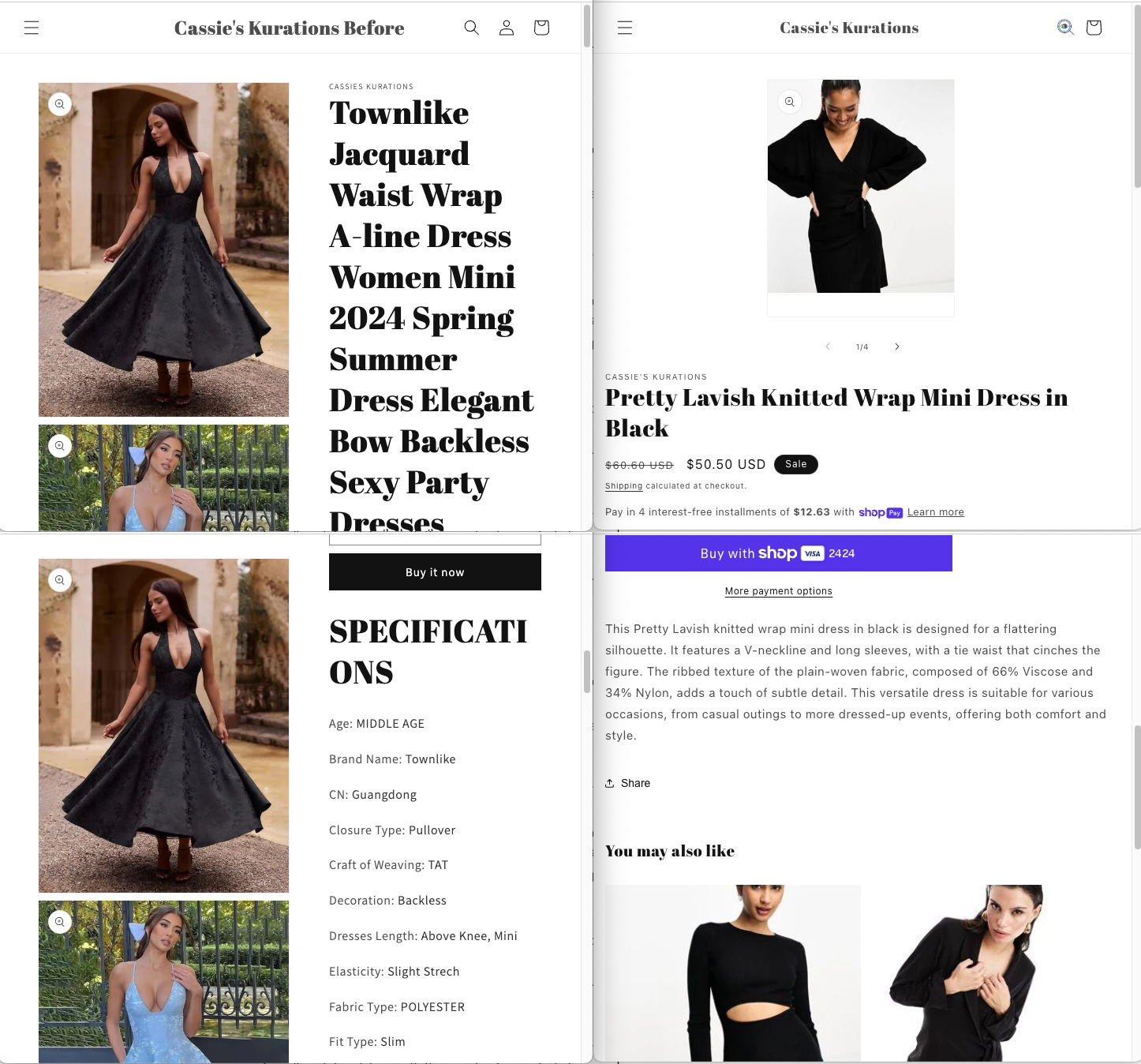
Before and after: a Shopify store with shopperGPT and cleanerGPT
The same Shopify store compared side by side — before and after adding shopperGPT search and cleanerGPT catalog enrichment.
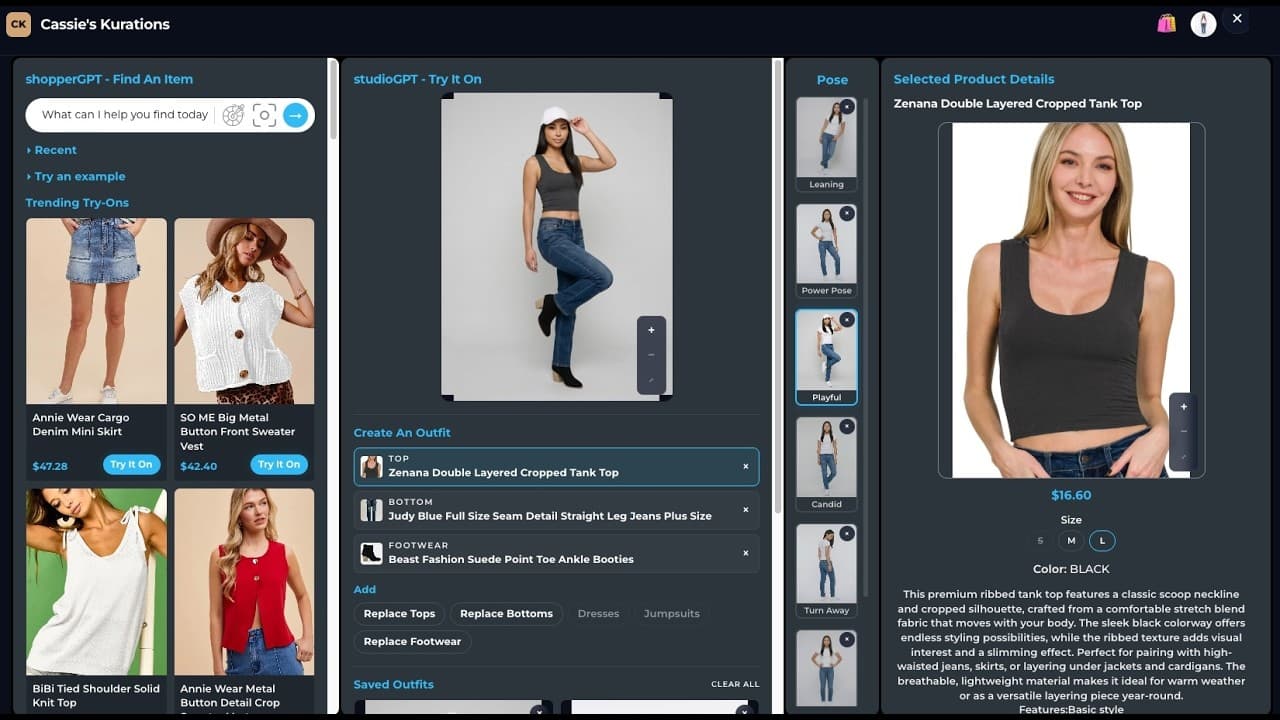
studioGPT — full demo
An end-to-end walkthrough of studioGPT, from input to finished on-model product imagery.

discoverGPT MCP tools running in Claude
discoverGPT’s MCP tools invoked directly inside Claude — search, catalog lookup, and enrichment driven by an AI agent.
Company boilerplate
Approved descriptions of visualAI. Copy these verbatim — no need to check wording with us.
visualAI builds AI-native product discovery for retail — onsite search that understands how shoppers actually describe what they want, and the structured data layer that makes a merchant’s catalog legible to AI agents across the internet.
visualAI builds AI-native product discovery for retail. Its onsite search understands natural language, color, and imagery, so shoppers find products using the words and pictures they already have in mind rather than the keywords a catalog happens to use. Behind that sits a structured data layer that cleans, enriches, and publishes merchant catalogs in the formats AI agents consume — putting a retailer’s products in front of shoppers on ChatGPT, Gemini, and Perplexity as well as on their own storefront. The platform is delivered as APIs and MCP tools, and covers search, catalog enrichment, feed syndication, and virtual try-on.
Joe Monastiero, Founder & CEO, visualAI. Available for interviews and background briefings — reach out at joe@vairetail.com.
Usage guidelines
Please do
- Use these assets in editorial coverage of visualAI.
- Keep clear space around the logo equal to the height of the mark.
- Write the name as “visualAI” — lowercase v, capital AI, no space.
- Use the white marks on dark backgrounds, black marks on light.
Please don’t
- Recolor, stretch, rotate, or add effects to the logo.
- Place the logo on a busy background that reduces legibility.
- Use these assets to imply a partnership or endorsement.
- Alter product screenshots in ways that misrepresent the product.